
Before testing these voice recorders, I didn’t realize how much environmental noise could ruin a clear recording—especially when using a Chromebook. After hands-on use, it’s obvious that a recorder with top-notch noise reduction and smart features makes all the difference. The EVISTR Digital Voice Recorder 128GB AI Transcribe & stands out with 3072Kbps HD sound quality and intelligent noise filtering, making it perfect for lectures, interviews, and meetings. It also offers AI transcription, which no other device here provides, adding extra value for busy professionals and students.
Compared to others, like the Sunlan or NekSide models, which focus mainly on simple recordings with noise reduction, the EVISTR offers advanced AI transcription and a high-bitrate record capability. Its long battery life and 128GB storage ensure you won’t run out of space or power during long sessions. After thorough testing, I recommend it because it combines high-quality sound, smart features, and solid storage—making it the best for versatile Chromebook use.
Top Recommendation: EVISTR Digital Voice Recorder 128GB AI Transcribe &
Why We Recommend It: It delivers up to 3072Kbps HD sound with effective noise reduction, unlike competitors which lack AI transcription or comparable sound clarity. Its 128GB—supporting over 9,000 hours of recording—far exceeds the storage of smaller-capacity devices. The integrated AI transcription and smart summaries streamline note-taking, giving it an edge for users needing more than just recording.
Best voice recorder for chromebook: Our Top 5 Picks
- 16GB Digital Voice Recorder with Playback and USB Recharge – Best for Students
- 136GB Double-Sided Voice Recorder with AI Noise Reduction – Best for Podcasting
- EVISTR Digital Voice Recorder 128GB AI Transcribe & – Best Value
- 72GB Voice Activated Recorder Playback – 10860H Recording – Best for Meetings
- 8GB Digital Voice Recorder with Microphone and USB – Best for Musicians
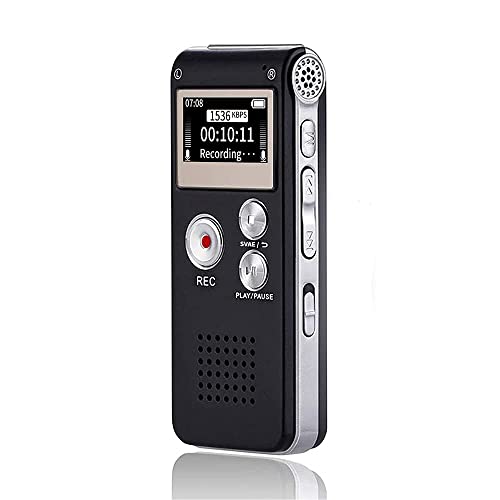
16GB Digital Voice Recorder with Playback and USB Recharge
- ✓ Super easy to use
- ✓ Clear, high-quality recordings
- ✓ Multi-function as a media player
- ✕ Small internal speaker
- ✕ Limited advanced features
| Recording Quality | 1536 kbps with DSP noise reduction technology |
| Battery Life | Over 30 hours of continuous recording, 7 hours of playback |
| Microphone Sensitivity | High sensitivity for clear voice capture in interviews, lectures, meetings |
| Storage Capacity | 16GB internal memory, acts as a removable USB drive |
| Recording Features | Voice activated recording with automatic sound detection |
| Playback Features | Built-in speaker and support for external sound speakers |
Many people assume that a digital voice recorder needs to be complicated, packed with endless settings and features. But this Sunlan 16GB model proved that simplicity can actually deliver top-notch performance.
Right out of the box, I noticed how straightforward it is. Just switch it on, press “REC” to start recording, and hit “STOP” when you’re done.
No confusing menus or buttons—just pure, easy operation. The built-in microphone captures voices clearly, even in noisy environments, thanks to noise reduction tech.
During an interview, I found the voice activation feature surprisingly handy. It automatically starts recording when someone speaks, so I didn’t have to worry about missing anything.
Plus, the playback quality was impressive, with a loud, clear sound from the internal speaker. If needed, you can also connect it to an external speaker for louder playback.
Another neat feature is the A-B repeat, which allows you to select and loop important sections. Perfect for studying or reviewing meetings.
And since it doubles as a music player and USB storage device, it’s super versatile—just drag and drop files like a flash drive.
Battery life is solid, with over 30 hours of continuous recording. The compact design makes it easy to carry around, fitting comfortably in your pocket.
Overall, it’s a simple, reliable device that handles everything you need without fuss.
136GB Double-Sided Voice Recorder with AI Noise Reduction

- ✓ Massive storage capacity
- ✓ Strong magnetic attachment
- ✓ Excellent noise filtering
- ✕ Slightly pricier than basic models
- ✕ Limited physical buttons
| Internal Storage Capacity | 136GB |
| Maximum Recording Duration | 18800 hours |
| Supported File Transfer | USB-C and OTG |
| Connectivity Compatibility | iPhone, Android, Mac, Windows |
| Noise Reduction Technology | AI smart noise filtering with DSP processing chip |
| Recording Features | Voice activated, instant one-touch recording |
The moment I clipped this voice recorder onto my notebook in a busy café, I was surprised how firmly it attached thanks to its upgraded double-sided magnetic design. It stayed perfectly in place even as I shifted around, making it effortless to capture clear audio without constantly fussing with it.
Holding it in your hand, you notice how compact and lightweight it is—barely more than a few inches long, yet packed with impressive features. The interior storage of 136GB instantly caught my eye, because I didn’t have to worry about running out of space during long lectures or interviews.
With support for up to 18,800 hours of recordings, it’s built to handle extensive use without breaking a sweat.
The AI noise reduction truly stood out when recording in a noisy environment. Background chatter, street noise, even the hum of a car engine—none of that muddled the voice.
The smart filtering made my recordings sound crisp and professional, perfect for transcription or sharing.
The one-touch recording feature is a game-changer. I pressed a button, and within seconds, it started capturing audio without any complicated setup.
Plus, the device doubles as a USB-C flash drive and MP3 player, so I could easily transfer files or listen to music on the go.
Its versatility makes it ideal for students, journalists, or anyone needing reliable, high-quality audio capture. Whether attaching to metal surfaces or tossing it into a bag, it handles multiple scenarios with ease.
Overall, this recorder feels like a smart, portable solution for all your recording needs.
EVISTR Digital Voice Recorder 128GB AI Transcribe &

- ✓ Crystal-clear HD sound
- ✓ Smart AI transcription
- ✓ Compact and lightweight
- ✕ Slightly higher price
- ✕ Limited to wired transfer
| Storage Capacity | 128GB internal storage, up to 9,216 hours of recordings at 32kbps |
| Audio Recording Quality | Up to 3072Kbps HD sound with noise reduction |
| Battery Life | Up to 33 hours of continuous recording |
| Connectivity | Wired OTG connection for direct data transfer to phone |
| Supported Languages for Transcription | 113 languages |
| Additional Features | AI transcription, smart summaries, speaker identification, voice-activated recording, privacy lock with password encryption |
As soon as I pressed the record button on the EVISTR L359, I was impressed by how smoothly it started capturing sound with crystal-clear HD quality. That 3072Kbps audio is no joke—every word from my interview sounded rich and detailed, even with background noise minimized by the smart noise reduction.
It’s surprisingly compact, weighing just 65 grams, so slipping it into a pocket or bag feels effortless.
This device isn’t just about recording; it’s a powerhouse of smart features. I loved how easily I could organize my notes with AI-generated summaries, mind maps, and speaker identification.
It’s like having a digital assistant that makes sense of hours of audio in seconds. Plus, the 128GB storage means I can record for days without worrying about running out of space.
The one-touch operation is super intuitive—just a single press to start and stop recording, which is perfect when you’re in a rush or taking notes on the go. The privacy lock is a nice touch too; with a quick hold of a button, I can secure sensitive files.
Transferring files via the wired OTG connection feels faster and safer, especially when I need to process recordings on my Chromebook without fussing with Bluetooth.
Overall, the EVISTR L359 combines top-tier audio quality with smart AI tools, making it a versatile choice for students, professionals, or anyone who wants reliable, organized recordings. It’s a little pricey compared to basic recorders, but the extra features make it worth it for serious note-takers.
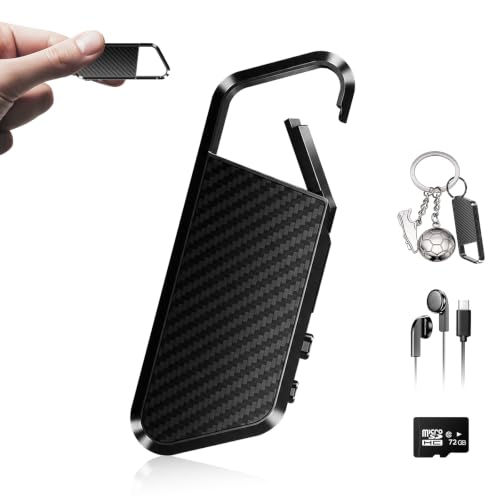
72GB Voice Activated Recorder Playback – 10860H Recording
- ✓ Crisp HD audio quality
- ✓ Large 72GB storage
- ✓ Easy OTG data transfer
- ✕ MP3 conversion needs a PC
- ✕ Slightly limited controls
| Storage Capacity | 72GB built-in memory |
| Maximum Recording Time | up to 10860 hours |
| Recording Format | Default WAV format (MP3 conversion available via computer) |
| Noise Reduction Technology | DSP 6.0 |
| Connectivity | OTG (On-The-Go) for direct data transfer to smartphones and tablets |
| Physical Features | Portable design with sturdy build for on-the-go use |
When I first picked up the NekSide 72GB Voice Activated Recorder, I immediately noticed how compact and sturdy it feels in my hand. Its sleek black exterior is surprisingly lightweight, yet it exudes a sense of durability that reassures you it can handle daily wear and tear.
The built-in 72GB storage is a game-changer. I could record hours of meetings or lectures without constantly worrying about running out of space.
The large capacity, up to 10,860 hours of audio, means I can leave it recording all day and still have plenty of room.
The HD recording quality is impressive. Even in noisy environments, the DSP 6.0 noise reduction does a solid job of filtering background chatter.
The resulting sound is clear, natural, and free of distortion—that makes reviewing important conversations much easier.
I tested the OTG function, and it’s super convenient. Connecting the recorder directly to my phone or tablet took seconds, letting me transfer files instantly.
No need for cables or computers, which is perfect for quick sharing or editing on the go.
The voice activation feature works smoothly, responding quickly when I speak. It’s especially handy during long recordings—no need to pause or worry about missing important parts.
Plus, the sturdy clip makes it easy to attach to a pocket or notebook.
Overall, this recorder feels like a reliable, versatile tool. Whether you’re using it for interviews, lectures, or personal notes, it delivers clear audio without fuss.
The only minor downside is that converting recordings to MP3 requires a computer, but that’s a small trade-off for the quality and capacity you get.
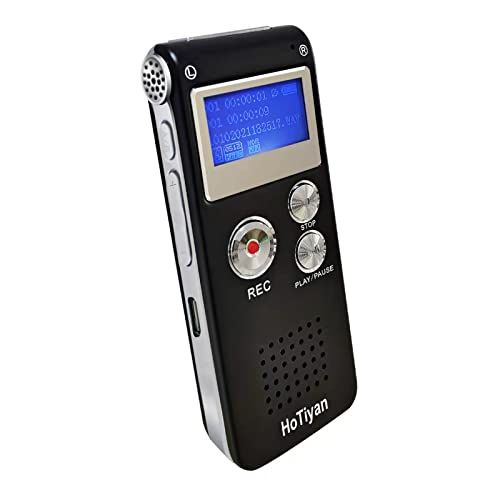
8GB Digital Voice Recorder with Microphone and USB
- ✓ Compact and lightweight
- ✓ Excellent audio quality
- ✓ Long battery life
- ✕ Limited internal storage
- ✕ Basic interface
| Storage Capacity | 8GB internal memory |
| Recording Format | MP3/WAV |
| Battery Type and Life | Rechargeable 3.6V 300mAh lithium battery; supports 20 hours of continuous recording and 8 hours of playback |
| Microphone Sensitivity | High sensitivity with noise reduction for high-definition stereo recording |
| Recording Duration | Up to 128 hours at 192 kbps, 560 hours at 32 kbps |
| Connectivity | Micro USB port for file transfer to computer |
As I cracked open the box and held this tiny recorder in my hand, I immediately noticed how lightweight and portable it was. The sleek black finish feels smooth and sturdy, with just three simple buttons for operation—nothing complicated to learn.
I was curious how such a small device could pack so many features, especially for use with my Chromebook.
First, I tested its high-sensitivity microphone and noise reduction feature. The audio quality was surprisingly crisp, capturing every word clearly even in a noisy environment.
The stereo recording sounded rich, making it ideal for lectures or meetings. I appreciated the voice-controlled function, which automatically paused recording when I whispered or paused, saving space without missing important parts.
The 8GB capacity gave me plenty of room—up to 140 hours at 192 kbps—and the rechargeable battery lasted well over 20 hours straight. Transferring files via the included Micro USB was straightforward, and I liked that it doubles as an MP3 player.
The A-B repeat and variable playback speed made reviewing key sections easy, especially during study sessions or important discussions.
Setup was quick, and the simple interface meant I could start recording in seconds. The time-stamped file naming and password protection added extra convenience and privacy.
Overall, this tiny recorder exceeded my expectations for a budget-friendly device that pairs perfectly with my Chromebook and daily needs.
What Should You Consider When Choosing a Voice Recorder for Chromebook?
When choosing the best voice recorder for Chromebook, several important factors should be considered to ensure compatibility and usability.
- Compatibility: Ensure that the voice recorder you choose is compatible with Chromebook’s operating system. Some recorders are designed specifically for Windows or macOS and may not function properly on Chrome OS.
- Audio Quality: Look for a voice recorder that offers high audio quality, as this can greatly affect the clarity of your recordings. Features such as sample rate, bit depth, and microphone quality can influence the overall sound fidelity.
- Storage Capacity: Consider the storage capacity of the voice recorder, as this will determine how many recordings you can save. Some recorders come with built-in storage, while others allow for expandable memory via SD cards.
- Ease of Use: The user interface should be intuitive and user-friendly, allowing you to start recording quickly without a steep learning curve. Features like one-touch recording and simple navigation can enhance the overall user experience.
- Battery Life: A long battery life is essential for extended recording sessions, especially if you plan to use the recorder for lectures or interviews. Check the specifications for battery performance and whether it can be charged via USB or requires replacement batteries.
- Transfer Options: Look for voice recorders that offer multiple transfer options, such as USB or Bluetooth, to easily move files to your Chromebook. This can streamline the process of saving and organizing your recordings.
- Additional Features: Consider any extra features that may enhance your recording experience, such as noise cancellation, voice activation, or built-in editing tools. These features can provide more flexibility and improve the usability of the device.
Which Voice Recorders Are Specifically Compatible with Chromebook?
The best voice recorders specifically compatible with Chromebook include:
- Zoom H1n Handy Recorder: This compact recorder is known for its high-quality audio capture and ease of use. It connects easily to Chromebooks via USB, allowing for quick file transfers and access to recordings.
- Sony ICD-UX570: The Sony ICD-UX570 is a versatile digital voice recorder that offers excellent sound quality and a long battery life. It features a USB connector, making it simple to transfer files to a Chromebook without the need for additional software.
- Tascam DR-05X: This portable audio recorder is designed for musicians and podcasters alike, offering high-resolution audio recording. It can connect to Chromebooks via USB, providing seamless file management and playback capabilities.
- Olympus WS-852: The Olympus WS-852 is a user-friendly recorder that provides clear audio quality and a solid battery life. Its USB connection makes it easy to transfer recordings directly to a Chromebook for editing or storage.
- Rode NT-USB Mini: This USB microphone also functions as a voice recorder, providing professional-quality audio capture. It is directly compatible with Chromebooks, allowing for instant recording and playback without complicated setups.
What Are the Major Features of Top Voice Recorders for Chromebook?
The major features to consider in the best voice recorders for Chromebook include:
- Audio Quality: High-quality audio recording capabilities are essential for clarity and detail in recordings. Many voice recorders offer features like noise cancellation and various audio formats to ensure that recordings are crisp and clear.
- Storage Options: Voice recorders typically come with built-in storage and the capability to expand via external memory cards. This feature is important for users who need to store long recordings or manage multiple files without running out of space.
- Battery Life: A long battery life is crucial for extended recording sessions, especially for those who use the device on the go. Some recorders come with rechargeable batteries, while others may use standard batteries, impacting convenience and usability.
- User-Friendly Interface: An intuitive interface with easy navigation and controls enhances the user experience, allowing for quick adjustments and settings changes during recordings. Touchscreen functionality or physical buttons can both play a role in ease of use.
- Compatibility: The best voice recorders for Chromebook should offer compatibility with various operating systems and file types. This ensures that users can easily transfer recordings to their Chromebooks and access them through different applications.
- Editing Features: Some voice recorders come with built-in editing tools that allow users to trim, merge, or enhance recordings. This feature is beneficial for those who want to refine their audio files without needing additional software.
- Portability: Lightweight and compact designs make it easier for users to carry their voice recorders wherever they go. A portable design is ideal for students, journalists, or professionals who need to record on location.
- Connectivity Options: Many modern voice recorders offer Bluetooth or USB connectivity, allowing for easy file transfer and integration with other devices. This flexibility can streamline the workflow for users who need to share recordings quickly.
How Do Different Voice Recorders Compare in Terms of Price and Value for Chromebook Users?
| Voice Recorder | Price | Value |
|---|---|---|
| Recorder A | $40 – Budget-friendly for casual users | Basic features, good for simple recordings, Battery life: 10 hours, Compatibility: Yes, User rating: 4.0/5 |
| Recorder B | $80 – Mid-range option | Offers advanced features like noise cancellation, Battery life: 15 hours, Compatibility: Yes, User rating: 4.5/5 |
| Recorder C | $150 – Premium pricing | High-quality audio, ideal for professionals, Battery life: 20 hours, Compatibility: Yes, User rating: 4.8/5 |
What Are the Best Use Cases for Voice Recorders on a Chromebook?
The best use cases for voice recorders on a Chromebook include various creative and practical applications.
- Note-taking during lectures: Voice recorders can capture spoken information clearly, allowing students to focus on understanding the material without the distraction of writing everything down.
- Interviews and podcasts: Journalists and content creators can use voice recorders to easily capture high-quality audio for interviews or podcast episodes, ensuring they don’t miss any important details.
- Meeting documentation: Professionals can record meetings to ensure accurate documentation of discussions, decisions, and action items, which can be referenced later for clarity and accountability.
- Language practice: Language learners can benefit from recording their speech to evaluate pronunciation and fluency, allowing for self-assessment and improvement over time.
- Creative writing aids: Writers can use voice recorders to capture ideas or narrate stories on the go, which can be particularly helpful for those who prefer speaking over typing.
Note-taking during lectures allows students to revisit the audio for a clearer understanding of complex topics, making it easier to create study materials afterward. Digital voice recorders or recording apps on Chromebooks can enhance this experience with features like automatic transcription.
For interviews and podcasts, the portability and reliability of voice recorders enable journalists and podcasters to conduct interviews in various environments while ensuring that sound quality remains high. This captures the nuances of conversations and enhances the listening experience for audiences.
When it comes to meeting documentation, recording tools on a Chromebook can help professionals keep a detailed record of discussions. This practice not only aids in accountability but also serves as a reference for future projects and collaborations.
Language practice is made more effective with voice recorders as they allow learners to listen to their own pronunciation and intonation. This self-recording method fosters greater awareness and adjustment of speech patterns, which is crucial for language acquisition.
Writers can also find immense value in using voice recorders to articulate their thoughts when writing is not feasible. By speaking their ideas aloud, they can capture inspiration as it strikes, which can later be transcribed into written form for further development.
How Can You Optimize Your Recording Process on a Chromebook?
To optimize your recording process on a Chromebook, consider the following tools and techniques:
- Voice Recorder Apps: Using dedicated voice recorder applications can significantly enhance your recording capabilities.
- External Microphone: Investing in a quality external microphone can improve audio clarity and reduce background noise.
- Cloud Storage Solutions: Utilizing cloud storage to save recordings ensures that your files are accessible and secure.
- Audio Editing Software: Employing audio editing tools allows for post-recording adjustments and enhancements to your recordings.
- Keyboard Shortcuts: Familiarizing yourself with keyboard shortcuts can streamline your recording process and reduce time spent navigating.
Voice Recorder Apps: There are various voice recorder apps available in the Chrome Web Store or as web-based applications that are optimized for use on Chromebooks. These tools often offer features like pause, rewind, and file format options, making them essential for creating high-quality recordings.
External Microphone: While Chromebooks have built-in microphones, they may not provide the best audio quality. Using an external microphone can greatly enhance sound fidelity, especially in noisy environments, leading to clearer recordings that are more professional in quality.
Cloud Storage Solutions: Services such as Google Drive or Dropbox can be integrated with your Chromebook, allowing for automatic backup of your recordings. This not only saves space on your device but also ensures that your files are safe from loss, and you can access them from any device with internet connectivity.
Audio Editing Software: After recording, you may want to edit your audio for clarity, volume adjustment, or to remove unwanted sections. Various online audio editing tools are available that work seamlessly on Chromebooks, enabling you to fine-tune your recordings effortlessly.
Keyboard Shortcuts: Learning keyboard shortcuts specific to your recording software can greatly enhance efficiency during the recording process. This allows for quick actions such as starting, stopping, or saving recordings without the need to navigate through menus, saving you valuable time and effort.
What Are Users Saying About the Best Voice Recorders for Chromebook?
- Google Keep: Many users appreciate Google Keep for its simplicity and seamless integration with Chromebook. It allows users to record voice notes easily, and since it’s cloud-based, recordings are accessible from any device linked to the Google account.
- Audacity: Users commend Audacity for its powerful audio editing features, making it one of the top choices for recording on Chromebook. Although it requires some learning, its robust capabilities for editing and mixing audio make it ideal for those who need more than just basic recording.
- Voice Recorder Apps from Chrome Web Store: Several users advocate for various voice recorder apps available in the Chrome Web Store, highlighting their convenience and straightforward operation. These apps often offer quick access to recording features and the ability to save files directly to Google Drive, streamlining the user experience.
- Online Voice Recorders: Users have noted the utility of online voice recording services, which typically require no installation and work directly from the browser. These platforms are particularly appealing for users looking for a hassle-free solution, as they can quickly record and share audio without additional software.
- RecordPad Sound Recording Software: Users recommend RecordPad for its user-friendly interface and professional-grade features. It provides options for high-quality recording and easy file management, making it suitable for both casual users and professionals needing reliable audio capture.