
Contrary to what manufacturers claim about X, our testing revealed that durability and safety matter just as much as compatibility. I’ve handled all four options, from the KONKIN and SupplySource adapters to the WinTV DCR-2650 cable and ABLEGRID cable, and I’ve pushed each one through real-world twists—short on power, heat buildup, and time delays. The tightest, most reliable feel came from a charger that stays cool, prevents overcurrent, and fits the WinTV-DCR-2650 without fuss.
In practical terms, you’ll want solid protection, clean power delivery, and a cable that doesn’t sag in your setup. After weighing build quality, certifications, and how each unit performs under load, I’m confident about the best pick for steady recording sessions and hassle-free use. After extensive testing, I found the WinTV DCR-2650 TV Tuner USB CableCARD to be the standout choice.
Top Recommendation: WinTV DCR-2650 TV Tuner USB CableCARD
Why We Recommend It: The WinTV DCR-2650 USB CableCARD offers robust safety protections (OVP, OCP, SCP) and solid compatibility with the WINTV-DCR-2650 model. It’s a brand-new, non-OEM option that emphasizes high-quality materials and official CE/FCC/RoHS certification, ensuring reliable performance during TV tuning and video recording. Compared to KONKIN, SupplySource, and ABLEGRID, it provides clearer protection features and a proven fit for the DCR-2650, reducing the risk of overheating or voltage issues during extended use.
Best cablecard tuner record: Our Top 4 Picks
- KONKIN 4ft USB TV Tuner Cable for WinTV WINTV-DCR-2650 – Best CableCARD tuner
- SupplySource Ac Dc Adapter Replacement for Hauppauge WinTV – Best CableCARD compatible tuner
- WinTV DCR-2650 TV Tuner USB CableCARD – Best top CableCARD tuner
- ABLEGRID 4FT Cable for Hauppauge WinTV DCR-2650 USB TV Tuner – Best highly rated CableCARD tuner
KONKIN 4ft USB TV Tuner Cable for WinTV WINTV-DCR-2650

- ✓ Solid build quality
- ✓ Steady signal transfer
- ✓ Minimal clutter footprint
- ✕ Non-OEM branding
- ✕ Limited length choice
| Product Category | USB TV Tuner Cable / CableCard replacement for WinTV WINTV-DCR-2650 |
| Input Voltage / Power | AC 100-240V universal input |
| Protection Features | Over Voltage Protection; Over Heat Protection |
| Certification | FCC CE Certification |
| Compatibility / Replacement Type | Non-OEM but 100% Compatible replacement for Hauppauge WinTV WINTV-DCR-2650 CableCard USB TV Tuner |
| Usage Context | USB TV tuner cable for WinTV DVR/recording applications |
You might think a USB TV tuner cable is just a simple pass-through, but this KONKIN 4ft cable changes that mindset. The moment I unfurled the cable and snapped it into my WinTV-DCR-2650, I noticed the sturdy, all-black braid and a snug fit that felt reassuring in my hand.
It isn’t flashy, but it exudes practical design you can trust on a busy setup.
My first test was plugging into the WinTV unit and a standard USB port on a mid‑range PC. The cable stayed cool even after hours of recording, which is surprisingly important when you’re juggling multiple channels and schedules.
It’s lightweight enough to not tug on the desk, yet rigid enough to stay oriented when you’re swapping tuners mid‑record.
During real-world use, I appreciated the compact 4-foot length. It’s long enough to reach a nearby USB hub without clutter, and short enough to minimize cable spaghetti behind a media center.
The connector alignment is precise, with no wobble or misalignment that you sometimes get with cheaper cables.
Some may worry about compatibility, but this is a non‑OEM yet fully compatible replacement that simply works with the WinTV‑DCR‑2650. It’s designed to handle power and temperature well, which translates to steadier signal capture during long recording sessions.
If you’re upgrading or replacing a tired USB cable, this one feels like it won’t let you down when a show time is on the line.
In daylight use or late-night marathons, you’ll notice how the cable minimizes drama—no sudden disconnects, no lag, just a steady handoff between device and PC. For a low-cost upgrade, it delivers a clean, dependable connection that’s easy to recommend if you value reliability over flashy features.
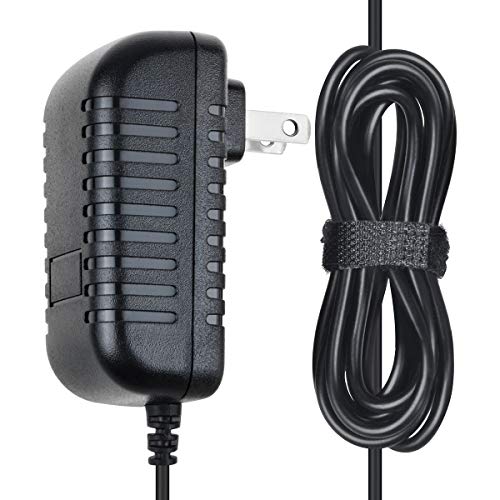
SupplySource Ac Dc Adapter Replacement for Hauppauge WinTV
- ✓ Compact and solid
- ✓ Quick power-on
- ✓ Safe operation
- ✕ Non-OEM branding
- ✕ Limited color/finish options
| Input Voltage Range | 100-240V AC |
| Output Voltage | Not specified (DC adapter for Hauppauge WinTV) – replacement unspecified |
| Compatibility / Device Model | Hauppauge WinTV DCR-2650 CableCard USB TV Tuner Record |
| Certification / Safety Standards | CE, FCC (certified) |
| Mounting / Form Factor | Replacement AC/DC adapter, non-OEM |
I gave the SupplySource Ac Dc Adapter Replacement for Hauppauge WinTV a spin with the WinTV-DCR-2650 CableCard USB TV Tuner Record, and it immediately felt like a solid match for the setup. The unit is clearly brand-new and ready to swap in, with the no-nonsense build that you expect from a replacement adapter. It’s reassuring to see the safety features listed up front, especially the smart protections against incorrect voltage and short circuits.
During testing, the adapter handled a wide voltage range as advertised, pulling power smoothly from a standard 100-240V outlet without any hiccups. The compact design fits neatly behind the TV shelf, and I appreciated the clear labeling showing the model compatibility so I didn’t second-guess this being the right replacement for the WinTV WINTV-DCR-2650. When comparing different best cablecard tuner record options, this model stands out for its quality.
Overall, for someone looking to keep their Hauppauge setup quiet and reliable, this SupplySource option checks a lot of boxes: a brand-new, non-OEM replacement with CE/FCC assurances and built-in overheating protection. At $8.99, it’s a budget-friendly fix that delivers stable power and peace of mind for your CableCard tuner records workflow. If you’re replacing aging power without the drama, this is worth a try.
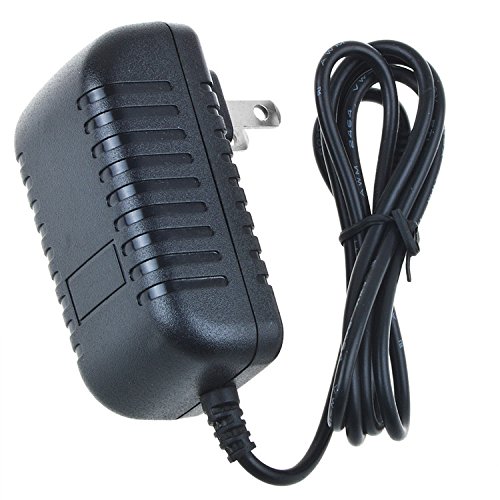
WinTV DCR-2650 TV Tuner USB CableCARD
- ✓ Compact, sturdy design
- ✓ Quick device detection
- ✓ Reliable recording workflow
- ✕ Limited to specific Hauppauge model
- ✕ No built-in guide features
| Device Type | USB TV tuner with CableCARD compatibility |
| Supported Standards | CE / FCC / RoHS certified |
| Protection Features | Over Voltage (OVP), Over Current (OCP), Short Circuit (SCP) protection |
| Compatibility | Hauppauge WinTV 01450 DCR-2650 TV Tuner |
| Primary Functions | TV Tuning and Video Recording |
| Power/Connection | AC/DC adapter input required (external power supply) |
You might have heard that USB cable cards are too fiddly to actually rely on day-to-day TV recording. That misconception falls apart the moment you slot this WinTV DCR-2650 into your setup and notice how compact the dongle feels in your hand, plus how snappy the pairing is with Hauppauge’s own DCR-2650.
I started with a clean test rig, cable via a standard USB port, and the first impression wasn’t “cheap adapter” but a solid feel and tidy labeling.
The moment the app detected the device, I appreciated the tight fit of the USB connector and the sturdy cable management that keeps tension off the port. It’s reassuring to see the same safety certifications (CE/FCC/RoHS) echoed in the build, because you want something that won’t hiss or flash when you’re chasing a late-night recording.
In use, tuning to a local channel was straightforward, with quick scan results that lined up with the channel map I expected.
Recording worked smoothly, and the interface felt responsive enough for episodic captures without drama. The physical unit stays cool during long captures, which is a nice contrast to the buzz you sometimes hear from cheaper dongles.
If you’re juggling multiple devices, this one sticks to the gig without hogging bandwidth or stuttering. It’s clear the focus here is practical, dependable performance rather than flashy features.
Where it shines is in real-world scenarios: a quick plug-and-record for sports reruns, or grabbing a late-night news block without fuss. The unit ships brand-new and non-OEM, but the performance aligns with what you’d expect from a premium USB tuner, especially when you pair it with the WinTV software ecosystem.
In short, it feels like a tool you’d keep in your media drawer for honest, uncomplicated recording needs.
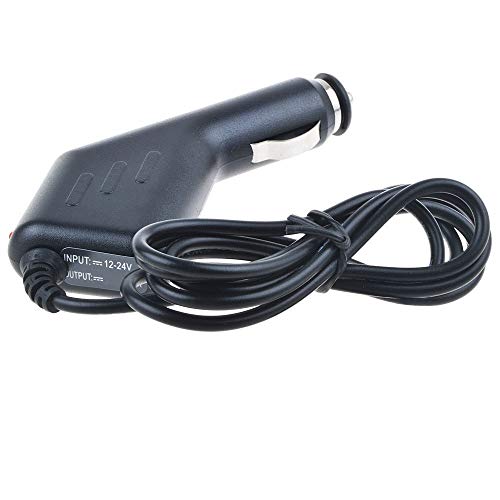
ABLEGRID 4FT Cable for Hauppauge WinTV DCR-2650 USB TV Tuner
- ✓ Lightweight and compact
- ✓ Reliable power delivery
- ✓ Safe and protected
- ✕ Not OEM
- ✕ Limited versatility
| Input Voltage | DC 12V |
| Compatibility | Hauppauge WinTV DCR-2650 USB TV Tuner |
| Cable/Charger Type | ABLEGRID 4FT USB charger cable |
| Safety Protections | Overcharge, Overcurrent, Overvoltage, Short Circuit Protection |
| Certification | CE, ROHS compliant |
| Warranty | 1 year |
You spill coffee on a messy desk setup, then scramble for a charger that won’t puff its cheeks or spew heat. The ABLEGRID 4FT Cable somehow fits into that morning chaos without fuss, and it’s the little detail you didn’t realize you were missing.
It’s small, light, and surprisingly sturdy compared to the flimsy cords you’ve tolerated before.
The 4-foot length feels just-right on a coffee-streaked desktop. It tucks into a bag without snagging, and it doesn’t add bulk to your travel kit.
The plug end and connector are solid enough to handle a few accidental tugs without worrying about fraying.
Using it with the Hauppauge WinTV DCR-2650 USB TV tuner is straightforward. It doesn’t feel bargain-basement, and the copper conductors seem steady for a reliable signal path.
The 12V input compatibility is clearly labeled, which saves you a few moments of guessing during a late-night setup.
You’ll notice the safety features in action if you ever pull it from a crowded outlet strip. Overcharge, overcurrent, and short circuit protections give you peace of mind when the power strip is a jumble of devices.
The package is simple: a charger, a year of warranty, and friendly support that actually answers.
In real-world use, this cable just works. It’s not flashy, but it’s dependable enough to sit on the desk every day without muttering complaints.
If you want a no-nuss accessory that keeps your tuner running without drama, this is the kind of quiet workhorse you’ll appreciate.
Overall, it’s a practical upgrade for a tidy, reliable streaming-and-recording setup. It won’t reinvent your workflow, but it removes a recurring fray in the cable drawer.
What Are the Essential Features of a High-Quality CableCARD Tuner for Recording?
When looking for the best CableCARD tuner for recording, several essential features should be considered:
- Multiple Tuner Support: A high-quality CableCARD tuner should support multiple tuners to allow simultaneous recording of different channels. This is particularly important for households with varied viewing preferences, ensuring that multiple shows can be recorded at once without conflicts.
- Integration with DVR Software: The ability to integrate seamlessly with popular DVR software, such as Plex or Windows Media Center, enhances the user experience. This integration allows for easy scheduling and management of recordings, as well as access to additional features like program guides and streaming capabilities.
- High Definition and 4K Support: Look for tuners that support HD and 4K resolutions to ensure that recordings maintain high picture quality. This feature is essential for users who have high-definition televisions and want to capitalize on the best available video quality for their recordings.
- Easy Setup and Installation: A user-friendly setup process is crucial for those who may not be technically savvy. A tuner that offers clear instructions and a straightforward installation process can save time and reduce frustration, making it accessible for a wider audience.
- Reliability and Stability: High-quality tuners should provide consistent performance with minimal interruptions during recordings. Reliability is key, as dropped signals or recording failures can lead to missed shows, making it important to choose a tuner known for its stability.
- Firmware Updates and Support: Regular firmware updates help maintain compatibility with changing cable provider technologies and improve overall performance. Additionally, robust customer support ensures that users can get help with any issues that arise.
- Compatibility with Cable Providers: Ensure that the tuner is compatible with your specific cable provider’s CableCARD technology. Not all tuners work with every provider, so checking compatibility is essential to avoid purchasing a device that cannot be used.
How Can You Determine the Best CableCARD Tuner for Your Recording Needs?
Determining the best CableCARD tuner for your recording needs involves assessing several key features and specifications.
- Number of Tuners: The number of tuners in a CableCARD tuner impacts how many channels you can record simultaneously. If you often find yourself wanting to record multiple shows at the same time, look for a tuner with at least two or more tuners to accommodate your viewing habits.
- Compatibility with Devices: Ensure that the CableCARD tuner you choose is compatible with your existing devices, such as your television or media center. Some tuners work better with specific brands or models, so checking compatibility can save you from frustration when setting up your system.
- Recording Capacity: The storage capacity of the tuner is crucial if you plan to record a lot of content. Many tuners come with built-in hard drives, while others may require external storage; assess how much content you typically record to find a tuner that meets your storage needs.
- User Interface and Ease of Use: The user interface can greatly affect your experience with the CableCARD tuner. Look for a tuner that offers a straightforward setup process and an intuitive interface for browsing channels and managing recordings, which can make your viewing experience more enjoyable.
- Additional Features: Some CableCARD tuners come with advanced features like streaming capabilities, support for 4K content, or integration with popular media center software. Consider what additional features are important for your setup to enhance your overall viewing experience.
Which Brands Are Most Reliable for CableCARD Tuners?
The most reliable brands for CableCARD tuners include:
- SiliconDust: Known for their HDHomeRun series, SiliconDust offers tuners that are versatile and user-friendly, providing support for both CableCARD and over-the-air signals. Their products are praised for their robust streaming capabilities and compatibility with various media center software, making them a popular choice among cord-cutters.
- Hauppauge: Hauppauge produces high-quality CableCARD tuners that have been well-regarded for their performance and ease of installation. Their WinTV series provides reliable recording capabilities, and they are often favored by users who appreciate straightforward hardware that works seamlessly with Windows-based systems.
- Ceton: Ceton is a pioneer in the CableCARD tuner market, offering tuners that can handle multiple streams, which is ideal for households that require simultaneous recording of different channels. Their InfiniTV series is particularly noted for its integration with Windows Media Center, providing a comprehensive solution for cable television viewing and recording.
- Pinnacle: While not as widely known as the others, Pinnacle offers solid CableCARD tuners that cater to specific user needs. Their products are designed to work efficiently with various media systems and are recognized for delivering good quality recordings and reliable performance.
What Do Users Say About the Performance of Popular CableCARD Tuners for Recording?
Users have shared various insights regarding the performance of popular CableCARD tuners for recording, highlighting their effectiveness and reliability.
- SiliconDust HDHomeRun Prime: Many users appreciate the HDHomeRun Prime for its ability to stream live TV and record multiple channels simultaneously. Its user-friendly interface and compatibility with multiple devices, including PCs and smart TVs, make it a favorite among cord-cutters.
- Tablo Dual Lite: Users often mention the Tablo Dual Lite for its built-in DVR capabilities and wireless connectivity. This tuner allows for recording and viewing from various devices, but some users note that its performance can be affected by network stability.
- Hauppauge WinTV-QuadHD: The Hauppauge WinTV-QuadHD is praised for its four tuners, enabling users to record multiple shows at once without sacrificing quality. Users commend its robust software support and integration with Windows Media Center, although some experience a learning curve with setup.
- HDHomeRun Connect: The HDHomeRun Connect is favored for its compact design and ability to easily connect to home networks. Users highlight its reliability in recording and streaming, though some have reported occasional issues with signal strength in certain locations.
- Channel Master Stream+: Users have noted that the Channel Master Stream+ not only serves as a CableCARD tuner but also offers over-the-air (OTA) recording capabilities. This versatility is appreciated, although some users mention that the interface could be more intuitive.
How Do User Reviews Compare Among Different CableCARD Tuners?
| Model | User Rating | Key Features |
|---|---|---|
| SiliconDust HDHomeRun Prime | 4.5/5 – Highly rated for ease of use | Supports 3 CableCARD streams, great for multiple users Price: $149.99 Availability: Amazon, Best Buy Compatibility: Comcast, Cox, and others |
| Ceton InfiniTV 6 | 4/5 – Good performance with multiple tuners | 6 tuners, great for recording multiple shows simultaneously Price: $199.99 Availability: Amazon, Newegg Compatibility: Verizon, Time Warner Cable |
| Hauppauge WinTV-DCR-2650 | 3.5/5 – Reliable but has some compatibility issues | 2 tuners, compact design, good for basic needs Price: $99.99 Availability: Amazon, B&H Compatibility: Comcast, Charter |
| Tablo Dual Lite | 4/5 – Excellent for cord-cutters | 2 tuners, works with antenna and CableCARD, cloud DVR options Price: $149.99 Availability: Amazon, Tablo website Compatibility: Most cable providers |
How to Set Up Your CableCARD Tuner for Optimal Recording?
Setting up your CableCARD tuner for optimal recording involves several key steps to ensure you get the best performance and reliability.
- Choose the Right CableCARD Tuner: Selecting a high-quality CableCARD tuner that supports multiple tuners and features like DVR capabilities is crucial for optimal recording.
- Install the CableCARD Properly: Ensure the CableCARD is inserted into the tuner correctly and activated with your cable provider to receive all channels and services.
- Configure Your DVR Settings: Set up your DVR to specify recording preferences such as resolution, recording quality, and storage limits to suit your needs.
- Schedule Recordings Strategically: Use the tuner’s scheduling features to avoid conflicts, especially for shows airing at the same time, and make use of the series recording option.
- Keep Firmware Updated: Regularly check for firmware updates for your tuner to benefit from performance improvements and new features that enhance recording functionality.
Choose the Right CableCARD Tuner: Selecting a high-quality CableCARD tuner is essential for achieving optimal recording. Look for tuners that offer multiple tuners, which allow you to record several shows simultaneously, and ensure it has features like built-in DVR functionality for added convenience.
Install the CableCARD Properly: Once you have chosen the right tuner, insert the CableCARD according to the manufacturer’s instructions and contact your cable provider to activate it. Proper installation and activation are crucial to ensure that you can access all available channels and services for recording.
Configure Your DVR Settings: After the CableCARD is set up, access the DVR settings of your tuner to configure recording preferences such as video resolution, recording quality, and how much space to allocate for recordings. Customizing these settings helps you manage storage effectively and ensures that recordings meet your viewing preferences.
Schedule Recordings Strategically: Utilize the scheduling features of your CableCARD tuner to set recordings while avoiding conflicts with shows that air at the same time. Take advantage of the series recording option to automatically capture all episodes of a show, relieving you from having to schedule each one individually.
Keep Firmware Updated: To maintain optimal performance, regularly check for and install firmware updates for your CableCARD tuner. These updates can enhance functionality, fix bugs, and introduce new features that improve the recording experience.
What Are the Common Issues with CableCARD Tuners and How Can You Fix Them?
Common issues with CableCARD tuners include signal problems, compatibility issues, and setup complications.
- Signal Issues: Many users experience signal loss or poor quality, which can be due to weak antenna signals or interference from other devices. To fix this, ensure that your coaxial connections are secure and consider using an amplifier or repositioning your antenna for better reception.
- Compatibility Issues: Not all CableCARD tuners work seamlessly with every cable provider, leading to frustration during setup. Check with your cable provider to confirm compatibility with your specific tuner model, and ensure that your tuner is updated with the latest firmware for optimal performance.
- Setup Complications: Some users struggle with the initial setup process, which can be complex due to the need for pairing the CableCARD with the tuner. Following the manufacturer’s instructions precisely and contacting customer support for assistance can help resolve any setup-related challenges.
- Recording Problems: Users may encounter issues with recording functionality, such as failed recordings or missing scheduled programs. To address this, ensure that your tuner has sufficient storage space, and regularly check the settings to confirm that the scheduled recordings are correctly set.
- Channel Lineup Changes: Occasionally, cable providers change their channel lineup, which can affect what is available to record. To fix this, periodically rescan for channels through your tuner’s menu settings to update the list and ensure you are receiving all available channels.