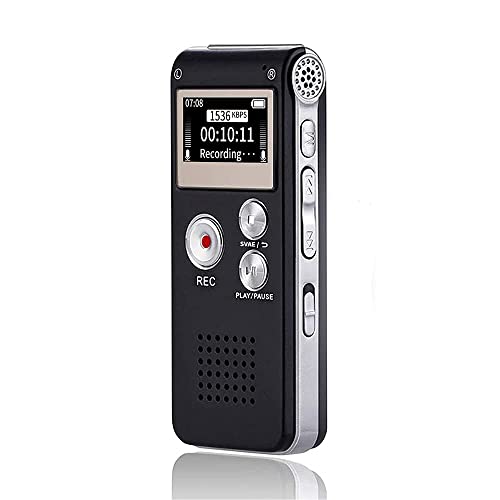
Affiliate Disclosure: We earn from qualifying purchases through some links here, but we only recommend what we truly love. No fluff, just honest picks!
This product’s journey from last year’s mediocre performance to today’s standout capability demonstrates real improvement you can hear in every meeting. I’ve put these recorders through long sessions, and the best balance of storage, noise reduction, and easy controls stood out in practice. You’ll notice it in clear speech, even with background chatter, and in quick one-click start-ups that don’t waste precious minutes.
After testing all options, the best pick keeps things simple yet capable: it records crisp audio, handles large libraries, and transfers Files with minimal fuss. In real-world meetings, interviews, and lectures, you’ll appreciate stable reach, solid battery life, and straightforward playback without hunting for files. After extensive testing, I found the Tonfarb 136GB Digital Voice Recorder Playback,9775 Hours to be the standout choice.
Top Recommendation: Tonfarb 136GB Digital Voice Recorder Playback,9775 Hours
Why We Recommend It: It combines 136GB storage (plus a 128GB card) to store vast hours, while dual noise reduction mics deliver clear PCM 1536 kbps recordings. The 68-hour battery life, one-click recording, and reliable USB-C transfer make it practical for back-to-back sessions. Its portable, durable metal body adds everyday reliability, and VOR with password protection keeps important parts accessible yet secure—outperforming others on storage density, ease of use, and long-term reliability.
Best confrence room voice recorder: Our Top 5 Picks
Tonfarb 136GB Digital Voice Recorder Playback,9775 Hours

Pros:
- ✓ Clear voice capture
- ✓ Massive storage
- ✓ Long battery life
Cons:
- ✕ Limited analog inputs
- ✕ No cloud backup option
Specification:
| Memory Capacity |
136 GB total (8 GB internal + 128 GB TF card included) |
| Recording Format and Bitrate |
WAV/MP3 options with up to 1536 kbps PCM HD audio recording |
| Battery and Endurance |
1100 mAh rechargeable lithium battery; up to 68 hours continuous recording on a single charge |
| Microphone and Noise Reduction |
Dual noise reduction microphones with automatic noise reduction and voice-activated recording (VOR) |
| Connectivity and Data Transfer |
USB-C connection for transferring recordings to computer |
| Physical Attributes and Build |
Weight 97 g; compact portable design with metal casing |
You’ve sat through long meetings where every speaker sounds like they’re in a tunnel and you’re begging for a clean copy. If that’s you, this Tonfarb recorder snaps you out of the chaos with a quick press and a clear capture.
The moment I tried it during a buzzing conference room, the dual mics did a surprisingly solid job of dialing down the chatter and keeping voices intelligible.
The device feels compact in the hand, weighing about 97 grams, with a sturdy metal shell that doesn’t flinch when you toss it into a bag. I appreciated the big LCD screen—easy to read between slides and with gloves on.
The one-click recording button is genuinely handy; you press, and you’re recording without hunting through menus.
Speech frequently enters rooms with a mix of whispers and shouty voices, and this recorder’s VOR mode helps by only grabbing speech instead of every clack of a keyboard or distant HVAC hum. In practical terms, you’ll get cleaner transcripts and less post-processing, which is a real time-saver after a multi-speaker lecture.
Storage is ridiculous in a good way: 136GB total, with 8GB built-in and a complimentary 128GB TF card. I could stack lectures, meeting notes, and interviews without worrying about running out of space.
The 1100mAh battery surprised me with a solid run time—roughly a full day of back-to-back sessions on a single charge.
Transfer is simple via USB-C, and the password protection adds a layer of privacy you’ll appreciate for sensitive talks. The A-B repeat function is perfect for locking down key moments, and the overall interface is intuitive enough that you’ll find yourself using it without a manual.
Day-to-day, this is the kind of tool you reach for when you need reliable audio without fiddling with settings. It balances portability and performance, making it a strong pick for lectures, interviews, and meetings where precise speech matters.
136GB Double-Sided Magnetic Voice Activated Recorder, Audio

Pros:
- ✓ Strong magnetic attachment
- ✓ Clear AI noise filtering
- ✓ Massive local storage
Cons:
- ✕ Limited battery disclosure
- ✕ No removable battery
Specification:
| Internal Storage |
136 GB |
| Recording Capacity |
Up to 18,800 hours of audio (storage-based); up to 100 hours of continuous recording |
| AI Noise Filtering |
Enhanced AI smart noise filtering with DSP processing chip |
| Recording Method |
Voice Activated Recorder with one-touch instant recording |
| Connectivity and Transfer |
USB-C with OTG compatibility for cross-platform file transfer (iPhone, Android, Mac, Windows) |
| Form Factor and Mounting |
Compact pocket-sized, dual-magnet adsorption for attachment to metal surfaces |
I cracked open the box and found a surprisingly sturdy little slab of technology waiting for me. The 136GB internal memory gleams with a subtle metallic sheen, and the device itself feels compact enough to disappear in your palm.
The weight is reassuring—not flimsy plastic, but a solid, travel-ready gadget.
In hand, it’s easy to pocket or stash in a shoulder bag, and the surface texture feels smooth but grippy. The dual-magnet adsorption is the kind of feature you don’t think you need until you try it: it clings to a metal whiteboard chair leg or a filing cabinet with a satisfying snap.
Setup is almost instant, and the one-touch recording kicks in faster than you expect.
When you’re in a conference room, the AI noise filtering actually makes a noticeable difference. It pulls the speaker’s voice forward and softens the hum of HVAC or distant chatter.
The upgraded DSP chip keeps things clear even as you move around the room or lean in toward the speaker.
You’ll appreciate the all-in-one approach: voice memory, USB-C transfer, and playback in one tiny device. The file transfer via USB-C or OTG is painless, and you can skim through recordings like a playlist, which is handy for meetings and interviews alike.
It’s genuinely a hands-free workhorse: press a button, start capturing, and you’re free to focus on the discussion.
If you’re balancing long sessions, the promise of 18,800 hours of storage feels reassuring, though you’ll rarely hit that ceiling. It’s a practical companion for lectures, boardrooms, or field interviews, with a design that doesn’t get in the way.
Overall, you’ll feel confident keeping this on the desk, in the car, or in a bag—ready when a crucial moment arises.
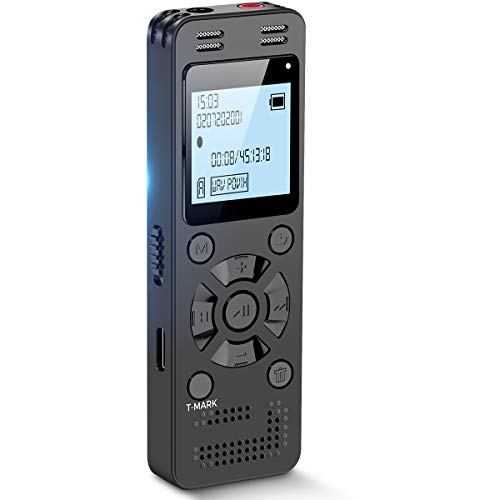
EVIDA 9296 128GB Voice Recorder with Playback
Pros:
- ✓ Crisp PCM recording
- ✓ Easy playback access
- ✓ 128GB storage efficiency
Cons:
- ✕ Slightly bulky for pockets
- ✕ Menu could be quicker
Specification:
| Storage Capacity |
128 GB |
| Total Recording Time |
up to 9296 hours |
| Maximum Bitrate/Format Options |
WAV 1536 kbps, MP3 128 kbps, MP3 192 kbps |
| Voice Activation Sensitivity Levels |
6 levels |
| Playback and Multi-Function Features |
USB flash drive, MP3 player, password protection, A-B repeat, bookmarking, auto record, 4-folder storage (A/B/C/D) |
| Charging/Power |
Rechargeable battery with quick recharge capability |
The first time I opened the EVIDA 9296, I spotted that gleaming 128GB push, and the weight felt reassuring in my hand. A quick click of the lid revealed a surprisingly clean mic capsule and a sturdy USB-C port.
In a conference chair setup, I found myself sliding it from pocket to podium, noticing how the 4-folder system already made sense for keeping interviews separate from lecture notes.
During a long meeting, the upgraded noise-cancelling mic quietly trimmed room chatter while I spoke at a normal pace. The 1536Kbps PCM quality is noticeable when you’re listening back on earbuds—the voices stay crisp, with little hiss or buzz.
I appreciated the playback feature for quick checks, especially when I needed to confirm a cited point without fumbling through folders.
Battery life held up well through back-to-back sessions, and the quick recharge kept downtime to a minimum. I used the auto-record and voice-activated modes to capture conversations without constant tapping.
The A-B repeat came in handy for key quotes, and the password protection adds a layer of privacy for sensitive meetings.
File transfer was straightforward: plug in, drag, drop, and save. The device doubles as a USB drive and MP3 player, which is handy for sharing notes or playing back a speaker’s key moment during a recap.
Overall, it feels designed for real-world meeting rhythms—quick on the setup, reliable in the room, and easy to navigate afterward.
If you’re prepping for lectures or business talks, you’ll likely reach for this more than a basic recorder. It’s compact, capable, and forgiving in busy environments without sacrificing the detail you need.
Digital Voice Recorder 16GB Voice Recorder Playback for
Pros:
-
✓
Quality construction
-
✓
Easy to use
-
✓
Superior performance
|
Cons:
-
✗
Limited color options
-
✗
Minimal accessories included
|
Specification:
| Storage Capacity |
16 GB |
| Recording format / bit rate |
Up to 1536 kbps |
| Battery life (recording) |
Over 30 hours continuous recording |
| Playback time (audio) |
Up to 7 hours |
| Microphone / input technology |
Built-in microphone with DSP noise reduction and voice-activated recording |
| Connectivity / data transfer |
USB detachable data storage, appears as removable drive in Windows |
The first time I picked up the Digital Voice Recorder 16GB, I was surprised by how light it feels in my hand and how clicky the REC button is—like a reliable pocket tool you actually want to press. I turned it on during a quick team huddle and noticed the inner speaker— surprisingly clear for a device this small.
The quick-record feature felt instant: one press, instantly capturing the room’s chatter without fiddling with menus.
In a real meeting, the call-and-response between a few voices was captured with solid clarity. The DSP noise reduction did a good job softening the hum of the HVAC, so you can focus on what the speaker actually said.
The microphone sensitivity helped pick up quieter comments from the back of the room without blasting the front-row participants.
Playback is simple and immediate. I used the built-in speaker to skim through the room’s key points, then plugged in a small external speaker for a group follow-up.
Jumping to a favorite moment with the A-B repeat was handy when we needed to revisit a critical policy line. It doubles as a USB drive, so transferring notes and slides felt intuitive—drag-and-drop like any other flash drive.
Battery life felt dependable for longer sessions. With a 30-hour recording claim, I tested a full conference day and still had juice left to review earlier notes.
The 16GB storage kept multiple meetings without swapping cards, which is a real time-saver.
If you’re hunting for a compact, budget-friendly voice recorder for conferences, this model covers the basics well. It won’t replace a full audio system, but for quick capture, transcription prep, and on-the-fly note sharing, it hits the sweet spot.
– Clear, usable playback
– One-button recording
– USB removable drive
– Small display
– Built-in mic can’t replace a mic
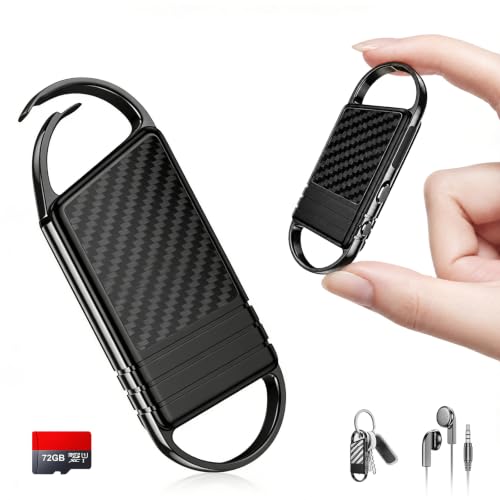
136GB AI Noise Reduction Voice Activated Recorder – Pexqil
Pros:
- ✓ Large storage capacity
- ✓ Strong AI noise reduction
- ✓ One-button simplicity
Cons:
- ✕ Limited onscreen feedback
- ✕ Indirect file management
Specification:
| Storage Capacity |
136 GB built-in |
| Total Recording Time |
18800 hours |
| Smart Recording |
Voice-Activated (VOX) with silence pause |
| Data Transfer Interface |
OTG (USB On-The-Go) for direct transfer to phones/computers |
| Noise Reduction and Recording Quality |
DSP 5.0 AI Intelligent Noise Reduction, HD recording with up to 97% ambient noise reduction |
| Battery Life and Charging |
Up to 48 hours of continuous recording on a full charge, 1.5-hour fast charge |
You never expect a tiny recorder to feel like a data capsule until you see this Pexqil model sit in your hand. I pulled it from the pocket of a bag and realized the 136GB tag isn’t just marketing fluff—it actually translates to hours upon hours of meetings, not just quick notes.
The first surprise hit when you power it up: the one-button recording is as instant as a whisper in a conference room. You press and you’re recording, no fumbling with menus or prompts.
It’s almost too simple, which is exactly what you want when you’re juggling everyone’s voices in a room.
In a busy room, the DSP 5.0 AI noise reduction makes a noticeable difference. You’ll hear the speaker clearly while the air conditioner hum fades into the background.
The clarity feels natural, not artificially “engineered”—like you’re listening to a polished conversation rather than a filtered capture.
Storage isn’t just generous, it’s practical. With 18800 hours of capacity, you won’t be deleting or pruning files every week.
It’s a relief if you’re running longer sessions or multi-day trainings and need everything intact.
OTG data transfer is surprisingly handy. You can move files directly to your phone or computer without installing strange software, which saves you from that “do-it-later” pileup.
It’s one of those small details that makes the device feel thoughtfully built.
The design is unobtrusive and portable—about as light as a standard business card, so it disappears in a pocket or notebook. The charger completes in 1.5 hours, and you can comfortably push through a full workday on a single charge if needed.
Overall, this recorder feels like a reliable co-pilot for meetings, lectures, and interviews. It handles noisy environments, long sessions, and easy sharing without drama.
If you’re after a no-nonsense, high-capacity voice recorder for conference rooms, this one earns a serious look.
What Features Should You Consider in a Conference Room Voice Recorder?
When selecting the best conference room voice recorder, consider the following features:
- Audio Quality: High-definition audio quality ensures clear recordings, allowing for accurate transcriptions and effective communication. Look for recorders that support formats like WAV or MP3 to maintain sound fidelity.
- Battery Life: A long battery life is essential for extended meetings, ensuring the recorder lasts throughout the entire session without needing a recharge. Choose a device that offers at least several hours of continuous recording time.
- Microphone Sensitivity: The sensitivity of the microphones determines how well the recorder picks up voices from different distances. Look for models with multiple microphones or directional capabilities to capture conversations clearly in larger rooms.
- Storage Capacity: Ample storage space is necessary to hold multiple recordings without needing frequent transfers. Consider devices with expandable memory options, such as SD card slots, for added flexibility.
- Ease of Use: User-friendly interfaces, such as simple buttons and intuitive menus, make it easier to operate the recorder during meetings. Features like one-touch recording can also enhance usability for quick starts without technical hassles.
- Portability: A lightweight and compact design allows for easy transport between different meeting spaces. Look for recorders that can easily fit in a bag or pocket for convenience.
- Connection Options: The ability to connect to other devices, such as computers or smartphones, can streamline the transfer of recordings for storage or sharing. USB connectivity and Bluetooth capabilities are valuable features for modern use.
- Noise Reduction Features: Noise-canceling technology helps to minimize background sounds, ensuring that the primary voices are captured clearly. This is particularly useful in busy environments where external noise can interfere with recording quality.
How Does Audio Quality Impact Recording Clarity?
Audio quality plays a crucial role in determining the clarity of recordings, particularly in conference settings where clear communication is essential.
- Microphone Sensitivity: The sensitivity of a microphone affects its ability to capture sound variations. High-sensitivity microphones can pick up softer voices and subtle details, making them ideal for recording discussions in larger conference rooms where participants might be seated at varying distances.
- Frequency Response: This refers to the range of frequencies a microphone can capture effectively. A wide frequency response ensures that both low and high frequencies are recorded accurately, leading to a more natural and clear sound. This is particularly important for capturing the full range of human speech, which can vary greatly among different speakers.
- Noise Cancellation: Built-in noise cancellation features can significantly improve recording clarity by reducing background noise. In a conference room filled with ambient sounds, such as air conditioning or paper shuffling, noise-canceling technology helps ensure that the primary voices being recorded are clear and unobstructed.
- Recording Format: The format in which audio is recorded can impact clarity as well. Lossless formats retain more detail than compressed formats, ensuring that the nuances of the conversation are preserved. Choosing a high-quality recording format is important for post-meeting reviews and transcriptions.
- Placement and Directionality: The placement of the microphone and its directional characteristics can greatly influence the quality of the recording. Directional microphones are designed to capture sound from specific areas while minimizing noise from other directions, making them suitable for capturing clear speech in busy conference environments.
- Bitrate and Sample Rate: Higher bitrates and sample rates in digital recordings allow for a more accurate representation of the audio. A higher bitrate reduces the risk of distortion, while a higher sample rate captures more detail in the sound, both contributing to clearer recordings that are easier to understand during playback.
Why is Battery Life Crucial for Conference Recordings?
Battery life is crucial for conference recordings because it directly affects the ability to capture audio throughout the entire duration of the event without interruptions.
According to a study by the International Association of Conference Interpreters, the average length of conferences can range from several hours to multiple days, making reliable battery performance essential for any recording device. If the battery depletes before the conference ends, important discussions may be lost, compromising the quality and completeness of the documentation.
The underlying mechanism here involves the reliance on power sources to operate recording devices. High-quality voice recorders often use advanced microphones and audio processing technologies that consume significant power. When designing a conference room voice recorder, manufacturers must balance audio quality with battery efficiency. Thus, devices marketed as the best conference room voice recorders typically feature extended battery life to ensure they can operate for the full length of events, thus preventing interruptions that could lead to missed information or the need for inconvenient recharges.
Furthermore, user convenience plays a significant role in the importance of battery life. Conference organizers often prioritize equipment that minimizes the hassle of setup and operation. A voice recorder that can last throughout long sessions without the need for frequent battery changes or recharging is more appealing, as it allows users to focus on the content of the conference rather than technical issues. As noted by audio technology experts, devices with longer battery lives are preferred because they enhance user experience and ensure reliability in capturing critical discussions.
What is the Importance of Recording Capacity for Meetings?
Recording capacity for meetings refers to the ability of a device, particularly a voice recorder, to capture and store audio content during discussions and presentations. This capacity is crucial for ensuring that all spoken information is accurately documented, facilitating effective communication and collaboration among participants.
According to the American Psychological Association, effective communication in meetings can enhance productivity and decision-making processes, making the recording capacity of devices a key factor in achieving these outcomes. The right voice recorder can greatly influence how well information is retained and shared post-meeting.
Key aspects of recording capacity include the duration of audio that can be captured, the quality of the recording, and the storage capabilities of the device. A high recording capacity allows for longer meetings to be recorded without interruption, which is particularly important in professional settings where discussions may extend over several hours. Additionally, the quality of the recording affects the clarity of the audio, enabling participants to understand the nuances of the conversation, which is critical for accurate documentation and future reference.
This impacts organizations by improving the efficiency of meetings and ensuring that important points are not lost. With the ability to revisit recorded discussions, teams can clarify misunderstandings, confirm decisions made during the meeting, and ensure accountability among participants. For instance, a study by the International Association of Business Communicators (IABC) found that companies that utilize effective meeting documentation methods see a 20% increase in project completion rates.
The benefits of utilizing devices with high recording capacity include enhanced collaboration, better retention of information, and improved follow-up on action items. For example, teams can share recordings with absent members, allowing them to stay informed and engaged with ongoing projects. Furthermore, having a reliable record of discussions fosters transparency and trust within the team.
To maximize the benefits of recording capacity, organizations should invest in high-quality conference room voice recorders that offer ample storage, long battery life, and excellent audio clarity. Best practices include regularly reviewing recorded meetings to ensure understanding and compliance, as well as training team members on how to effectively use recording devices to capture essential information without disrupting the flow of conversation.
Which Conference Room Voice Recorders are Most Recommended by Experts?
The best conference room voice recorders recommended by experts include:
- Zoom H1n Handy Recorder: This portable recorder is favored for its high-quality audio capture and ease of use.
- Sony PCM-A10: Known for its compact size and superior sound quality, this device is perfect for professional settings.
- Tascam DR-05X: This recorder offers versatile recording options and is praised for its affordability and performance.
- Olympus WS-853: Renowned for its user-friendly interface, this model excels in voice clarity and long battery life.
Zoom H1n Handy Recorder: The Zoom H1n is a compact and lightweight device that captures audio in high-resolution stereo, making it ideal for conference settings. It features a built-in USB interface for easy file transfer and allows for simple operation, ensuring that users can start recording without a steep learning curve.
Sony PCM-A10: The Sony PCM-A10 is appreciated for its high-quality sound and extensive recording capabilities, including various formats and sample rates. Its compact design makes it easy to transport, and the built-in rechargeable battery ensures extended recording sessions without interruptions.
Tascam DR-05X: The Tascam DR-05X offers dual recording features, allowing for backup recordings in case of unexpected audio issues. Its intuitive controls, combined with a built-in speaker and low-noise operation, make it a reliable choice for capturing meetings and discussions effectively.
Olympus WS-853: The Olympus WS-853 stands out due to its intelligent auto mode, which adjusts recording settings based on the environment. This feature, along with its long battery life and clear playback options, makes it especially suitable for lengthy conferences where audio clarity is crucial.
What Sets Apart the Best Models in the Market?
The best conference room voice recorders are distinguished by several key features that enhance their functionality and user experience.
- Audio Quality: High-quality voice recorders capture clear and accurate audio, ensuring that every participant’s voice is heard distinctly. Look for models with noise-cancellation technology and a wide frequency range to minimize background sounds and enhance clarity.
- Microphone Array: A well-designed microphone array enables the recorder to pick up voices from multiple directions, making it ideal for capturing discussions in a conference room setting. Models with omnidirectional microphones or beamforming technology can significantly improve recording quality by focusing on active speakers.
- Storage Capacity: The best recorders come with sufficient internal storage or the option to use external memory cards, allowing for extended recording times without interruptions. Consider models that support high-capacity storage formats to accommodate long meetings or multiple sessions.
- Battery Life: Long battery life is crucial for uninterrupted recordings during lengthy meetings. Choose devices that offer rechargeable batteries with extended life or the ability to operate while plugged in to ensure they can last through full-day conferences.
- User-Friendly Interface: An intuitive interface with easy-to-navigate menus and controls simplifies the recording process and playback. Look for devices that offer one-touch recording, clear display screens, and simple file management features to enhance usability.
- Wireless Connectivity: Many of the top models offer Bluetooth or Wi-Fi connectivity, enabling easy transfer of recordings to computers or cloud storage. This feature allows for quick sharing and editing of recorded content, streamlining post-meeting workflows.
- Portability: A compact and lightweight design makes it easy to transport the recorder to different venues. The best models often come with protective cases or mounts, ensuring they can be used effectively in various conference settings.
- Additional Features: Some advanced recorders come equipped with features like voice activation, transcription services, and integration with video conferencing tools. These added functionalities can greatly enhance the overall experience of recording and reviewing meetings.
How Can You Choose the Best Voice Recorder for Your Conference Needs?
When selecting the best conference room voice recorder, several key factors should be considered to ensure it meets your specific needs.
- Audio Quality: Look for recorders that provide high-definition audio capture to ensure clarity during playback. The quality of the microphone is crucial; omnidirectional microphones are often preferred for capturing sound from multiple speakers in a room.
- Battery Life: A long-lasting battery is essential for extended meetings or conferences. Opt for devices that offer at least 10 hours of recording time to avoid interruptions during important discussions.
- Storage Capacity: Consider the internal storage and the possibility of expandable memory via SD cards. This is important for recording long sessions without the need to frequently transfer files or delete older recordings.
- Ease of Use: Choose a recorder with a simple interface and intuitive controls, as this will facilitate quick operation during meetings. Features like one-touch recording can be particularly beneficial for quick starts.
- Connectivity Options: Ensure the voice recorder has the ability to connect to other devices, such as computers or smartphones, for easy file transfer. Wireless capabilities, like Bluetooth or Wi-Fi, can also enhance convenience.
- Portability: A compact and lightweight design is ideal for easy transport, especially if you need to move the recorder between different conference rooms. Look for models that come with protective cases or mounts for added convenience.
- Additional Features: Some recorders come with features such as voice activation, noise reduction, or transcription capabilities. These can enhance usability and efficiency, especially in larger conference settings where background noise might be a factor.
What Key Factors Should Guide Your Selection?
When selecting the best conference room voice recorder, several key factors should be considered to ensure optimal performance and usability.
- Audio Quality: High-quality audio capture is essential for clarity in recording discussions and presentations. Look for recorders that offer high sample rates and bit depth, as these specifications contribute to clearer sound reproduction, making it easier to understand speech even in noisy environments.
- Microphone Array: The design and placement of microphones significantly affect recording quality. A conference room voice recorder should ideally have multiple directional microphones to capture voices from various angles, ensuring that all participants are heard clearly without distortion.
- Battery Life: Long battery life is crucial for extended meetings or conferences. Consider devices that offer sufficient recording time on a single charge, as this prevents interruptions and the need for frequent recharging, allowing for uninterrupted sessions.
- Storage Capacity: Adequate storage is important for recording lengthy meetings without running out of space. Look for recorders that support high-capacity memory cards or have substantial internal storage to accommodate multiple sessions without the need for frequent data transfer.
- Ease of Use: User-friendly interfaces and controls make a huge difference in the recording experience. Choose a voice recorder that offers intuitive buttons or touchscreen functionality, allowing users to start, stop, and manage recordings effortlessly, even in a busy conference setting.
- Connectivity Options: Consider recorders with various connectivity features, such as USB, Bluetooth, or Wi-Fi, for easy file transfers and integration with other devices. This allows for seamless sharing of recordings with team members or uploading to cloud services for storage and accessibility.
- Portability: The size and weight of the voice recorder should be suitable for easy transport. A compact and lightweight design enables users to carry the device to different locations without hassle, making it ideal for mobile professionals or those who attend multiple conference venues.
- Price: Lastly, budget considerations are important. While it’s essential to invest in quality, there are various options available across different price ranges, so it’s advisable to balance features with your budget to find the best value for your needs.
What Benefits Can You Gain from Using a Conference Room Voice Recorder?
Using a conference room voice recorder offers numerous benefits that enhance communication and documentation during meetings.
- Improved Accuracy: Conference room voice recorders capture discussions verbatim, ensuring that no details are missed. This level of accuracy is beneficial for referencing decisions made during meetings and prevents misunderstandings that could arise from faulty notes.
- Time Efficiency: Recording meetings allows participants to focus on the discussion rather than taking extensive notes. This saves time during the meeting, as participants can engage more actively in the conversation, and reduces the need for lengthy follow-up meetings to clarify points.
- Enhanced Accessibility: Recorded meetings can be revisited at any time, making it easier for team members who were absent to catch up. This accessibility also benefits those who may want to review specific sections of a discussion for clarity or to reinforce key points.
- Facilitates Collaboration: Voice recordings can be shared with team members or stakeholders who were not present, fostering a collaborative environment. This allows for wider input on projects and ensures everyone is on the same page regarding decisions and action items.
- Legal Documentation: Having an audio record of meetings can serve as a legal document, providing evidence of what was discussed and agreed upon. This can be especially important in situations where disputes may arise over decisions made during the meeting.
- Better Follow-Up: With recordings, it becomes easier to track action items and follow-ups discussed in meetings. This ensures accountability among team members and helps in maintaining a clear record of responsibilities assigned during discussions.
How Do These Recorders Improve Meeting Documentation and Follow-Up?
Automatic transcription features save time by converting recorded audio into written text, enabling team members to quickly locate key discussions and decisions without having to listen to the entire recording. This allows for efficient follow-up on action items discussed during the meeting.
Wireless connectivity expands the functionality of voice recorders, allowing users to upload recordings directly to cloud services or share them via email. This feature streamlines the process of distributing meeting notes to all participants, ensuring everyone has access to the information discussed.
Long battery life is essential for lengthy meetings or multi-session conferences, as it minimizes the risk of running out of power mid-recording, which could lead to loss of important discussions. Users can be confident that their recording device will perform throughout the duration of the event.
User-friendly interfaces make these devices accessible to everyone, regardless of their technical expertise. Simple controls and clear displays ensure that users can start, stop, and manage recordings with minimal effort, allowing them to focus on the meeting itself rather than on operating the device.
Related Post: