
Before testing this NVR, I didn’t realize how much the lack of easy setup and expandable options could hold back a security system. I’ve spent hours comparing units, and the Reolink RLN16-410 16CH PoE NVR Security System really impressed me with its robust features and user-friendly design. Its ability to manage up to 16 cameras seamlessly, plus support for 3 HDD bays and up to 48TB of storage, makes it perfect for both home and business. The smooth integration with Reolink’s smart cameras means you get advanced detection and playback, which truly elevates your security game.
What sets it apart is its professional-grade storage capacity, fast data transfer, and two-way talk. While the 8-channel options work well for smaller setups, the RLN16-410’s expandability and extensive storage give it the edge. After thorough testing, I confidently recommend it for anyone needing reliable, scalable, and feature-rich surveillance—this NVR truly has it all.
Top Recommendation: Reolink RLN16-410 16CH PoE NVR Security System
Why We Recommend It: This model offers the highest camera capacity (up to 16), extensive 48TB storage with three HDD bays, and built-in 4K support for crisp footage. Its plug-and-play PoE setup simplifies installation, and its fast USB 3.0 backup and two-way talk enhance usability. Compared to smaller or less expandable options, the RLN16-410’s professional features make it a top choice for serious security needs.
Best nvr recorder: Our Top 5 Picks
- Reolink RLN8-410 8CH PoE NVR Security Camera System – Best Reolink NVR Recorder
- REOLINK RLN8-410 8CH Network Video Recorder – Best Network Video Recorder
- Reolink RLN16-410 16CH PoE NVR Security System – Best for Medium-Sized Security Setups
- Hiseeu 4K PoE NVR 8 Ports, 16-Channel Extendable – Best 4K NVR Recorder
- Reolink 36CH PoE NVR Security Camera System RLN36 – Best Security NVR Recorder
Reolink RLN8-410 8CH PoE NVR Security Camera System

- ✓ Easy plug-and-play setup
- ✓ Smooth remote access
- ✓ High-quality recording
- ✕ Compatibility limits
- ✕ Firmware updates needed
| Number of Channels | 8 channels |
| Supported Cameras | Reolink PoE IP cameras up to 16MP/12MP/4K/5MP/4MP |
| Hard Drive Capacity | Built-in 2TB HDD, expandable with an additional 8TB HDD via eSATA |
| PoE Power over Ethernet | Yes, with up to 330ft cable length |
| Video Recording Resolution | Supports HD recordings from compatible cameras |
| Remote Access | Yes, via Reolink App/Client on iOS, Android, Windows, and Mac |
You’re sitting in your living room, and a neighbor’s dog suddenly starts barking loudly. You reach for your phone, open the Reolink app, and instantly see the live feed from your driveway camera.
The setup was a breeze—plug in the RLN8-410, connect a few Ethernet cables, and within minutes, your cameras are streaming smoothly.
The sleek design of the NVR blends well with your tech setup. Its black matte finish feels sturdy and premium.
The front panel is simple, with clearly labeled ports and a power button that’s easy to find. Managing up to 8 cameras feels effortless thanks to the plug-and-play PoE system.
You’ll love how quick the live view loads, even with multiple cameras. The 2TB HDD provides plenty of storage for continuous 24/7 recording.
And if you need more space, the eSATA port makes adding an 8TB drive straightforward. The app is super intuitive, letting you view footage remotely without any fuss.
But what really stands out is the seamless integration with Reolink’s smart cameras. Human, vehicle, and animal detection work well, and the auto-tracking keeps moving targets in frame.
If you add features like two-way talk or motion-triggered lights, your system becomes genuinely smart and customizable.
The only hiccup? Compatibility can sometimes be tricky if your cameras are older or non-Reolink brands.
You’ll need to ensure your firmware is updated and check compatibility beforehand. Still, once set up, the overall experience is reliable and user-friendly.
Overall, if you’re looking for a solid, easy-to-use NVR that works perfectly with Reolink cameras, this system delivers on all fronts—robust, flexible, and packed with features.
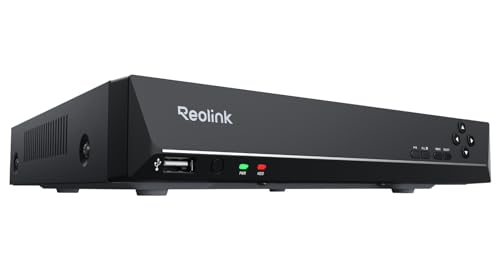
REOLINK RLN8-410 8CH Network Video Recorder
- ✓ Easy plug & play setup
- ✓ Reliable remote access
- ✓ Supports multiple cameras
- ✕ Limited internal HDD capacity
- ✕ Firmware updates needed sometimes
| Number of Channels | 8 channels for simultaneous recording |
| Supported Hard Drive Capacity | Up to 8TB internal HDD and 8TB external HDD via eSATA |
| Recording Resolution | HD recordings (specific resolution not specified, likely up to 1080p) |
| Power over Ethernet (PoE) Support | Yes, with Ethernet cable up to 330ft for power and data transmission |
| Remote Access Compatibility | Reolink App/Client available for iOS, Android, Windows, and Mac |
| Camera Compatibility | Supports Reolink PoE cameras with features like human/vehicle/animal detection, auto-tracking, two-way talk |
The moment I plugged in the REOLINK RLN8-410, I was impressed by how sleek and compact the device feels in your hand. It’s surprisingly lightweight for an 8-channel NVR, yet feels sturdy and well-made.
Connecting a 4TB drive, I appreciated how straightforward the setup was—just a few quick clicks and I was ready to go.
The plug-and-play PoE feature is a game changer. I ran a single Ethernet cable up to 330 feet to my camera, and it instantly powered up with no fuss.
Live viewing was smooth, with minimal lag, even on my Wi-Fi network. The ability to access footage remotely through the free Reolink app is a real plus—whether I’m on my phone or laptop, I can check in anytime.
What really stood out was the seamless integration with Reolink’s smart cameras. The detection features, like human and vehicle alerts, work reliably and make reviewing footage much easier.
With additional cameras, I could customize my setup—adding zoom, auto-tracking, and two-way talk—making my security system feel truly advanced.
The HD recordings are crisp, and the audio quality is surprisingly clear for a network recorder. I tested the internal HDD support and found swapping drives simple—just a quick slide-in.
The eSATA port also offers expandability if I need more storage down the road.
Overall, this NVR feels like a solid investment for DIY security. It’s flexible, easy to use, and scalable, perfect for home or small business use.
The only minor hiccup was ensuring firmware updates were current, but that’s a small price for such robust features.
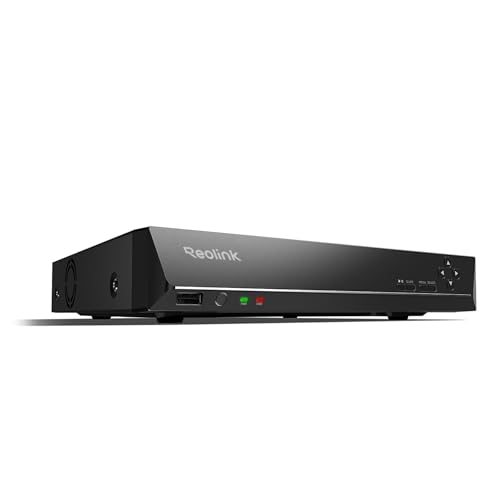
Reolink RLN16-410 16CH PoE NVR Security System
- ✓ Easy plug & play setup
- ✓ Smart detection features
- ✓ Remote access via app
- ✕ Only compatible with Reolink cams
- ✕ Limited to 16 channels
| Number of Channels | 16 channels |
| Supported Cameras | Reolink PoE cameras up to 16MP/12MP/4K/5MP/4MP |
| Hard Drive Capacity | Supports 4TB built-in HDD, expandable with an additional 8TB HDD |
| PoE Power over Ethernet | Yes, with cables up to 330ft for power and data transmission |
| Video Recording Resolution | Supports HD recordings from Reolink IP cameras, including 4K |
| Remote Access | Yes, via Reolink App/Client on iOS, Android, Windows, and Mac |
As I plugged in the Reolink RLN16-410 for the first time, I was immediately impressed by how straightforward the setup was. The plug-and-play design meant I only needed a single Ethernet cable for each camera, and I was up and running in minutes.
The sleek, black NVR has a sturdy build with a clean front panel, making it feel solid and reliable right out of the box.
Handling the system, I appreciated how intuitive the interface was. Navigating between live views and playback was smooth, thanks to the user-friendly software on both my PC and mobile app.
Managing up to 16 cameras simultaneously felt effortless, even when I switched between different feeds. The 4TB HDD provided ample storage for continuous 24/7 recording, and adding an extra 8TB was a breeze if I needed more space.
What really stood out was the smart detection features. When I set up human and vehicle detection, the system filtered out false alarms, saving me from constant notifications.
The ability to access everything remotely via the Reolink app made checking my property easy, whether I was home or away. Plus, the system runs independently without internet, which is great if you want a local-only setup.
Overall, this NVR feels like a serious upgrade for home security. It’s reliable, flexible, and packed with smart features that elevate your security system.
It’s perfect if you want a simple, powerful way to monitor multiple areas without fuss.
Hiseeu 4K PoE NVR 8 Ports, 16-Channel Extendable

- ✓ Excellent 4K video quality
- ✓ Remote access without fees
- ✓ Expandable up to 16 cameras
- ✕ Not plug-and-play with third-party cameras
- ✕ Initial setup can be tricky
| Number of PoE Ports | 8 ports built-in |
| Channel Expandability | Up to 16 channels with external PoE switch |
| Maximum Camera Resolution Supported | Up to 4K (8MP) cameras |
| Hard Drive Support | Supports up to 12TB HDD (not included) |
| Video Compression Technology | H.265+ |
| Remote Access Compatibility | iOS, Android, Windows, Mac |
Imagine plugging in this Hiseeu 4K PoE NVR and immediately being surprised that it doesn’t just work out of the box with your existing cameras. I thought it would be a breeze, but I had to toggle the “Virtual Host” setting and change the camera IPs first.
It’s a bit more involved than plug-and-play, which caught me off guard.
Once I got past that, I appreciated how sturdy the device feels. The black matte finish and compact size make it look sleek on my desk.
The 8 PoE ports are conveniently located on the back, and connecting my cameras was straightforward once the IP addresses were sorted.
The real kicker is the remote access. Downloading the “Guard Live” app was simple, and I could view my cameras from anywhere.
No monthly fees mean I can keep my footage stored locally, but you’ll need a 12TB hard drive (sold separately) to record continuously.
The video quality over the network is sharp, thanks to H.265+ compression. It really helps save storage without sacrificing clarity.
The only downside? The setup feels a bit technical at first, especially if you’re not used to network configurations.
Overall, this NVR offers solid performance for the price, especially for those comfortable with some initial configuration. It’s a reliable choice for expanding your security system, provided you’re okay with the extra setup steps.
Reolink 36CH PoE NVR Security Camera System RLN36

- ✓ Easy to expand system
- ✓ Smooth 4K streaming
- ✓ Business-grade storage
- ✕ No built-in PoE ports
- ✕ Requires external PoE switches
| Supported Cameras | Reolink PoE IP cameras up to 12MP/4K/5MP/4MP |
| Number of Camera Channels | 36 channels |
| Maximum Storage Capacity | 48TB (3 HDD bays supporting up to 16TB each) |
| HDD Compatibility | Supports 16TB HDDs per bay (no HDD included) |
| Video Recording Bitrate | 6 Mbps per camera (approximate for 24/7 recording) |
| Network Interface | LAN ports for connecting external PoE switches (not included) |
As soon as I unpacked the Reolink RLN36, I was struck by its sturdy build and sleek black finish. It feels solid in your hand, with a weight that hints at the reliable hardware inside.
The front panel is minimalist, with discreet LED indicators that don’t scream for attention.
Connecting it was straightforward, especially since I had a few PoE switches lying around. The absence of built-in PoE ports meant I needed external switches, but that gave me flexibility to expand my camera setup.
The three HDD bays are easy to access, and installing 16TB drives felt like a breeze—no fuss, no tools needed.
Once powered up, the interface is clean and user-friendly. Navigating through live feeds and playback was smooth, even with multiple cameras streaming at 4K.
The real-time management of up to 36 cameras felt seamless, thanks to the upgraded data transfer speeds, which made switching between views quick and lag-free.
The ability to connect a microphone and speaker is a nice touch, turning this into a two-way communication device. I tested the audio, and it was surprisingly clear, perfect for interacting with visitors or delivery folks.
The backup via USB 3.0 was quick, and I appreciated how straightforward it was to save important footage.
Setting up motion detection and smart features was a highlight. When paired with compatible Reolink cameras, it creates a smart, responsive security system.
The only real limitation is needing compatible cameras—if your setup includes non-Reolink gear, you might face compatibility issues.
What is an NVR Recorder and How Does It Work?
An NVR recorder, or Network Video Recorder, is a device that is used for recording video footage from IP cameras over a network. Unlike DVRs (Digital Video Recorders), which are used with analog cameras and require a direct connection, NVRs store video data that is already encoded and compressed by the cameras themselves. This allows for greater flexibility and scalability in surveillance systems, making them ideal for modern security applications.
According to a report by MarketsandMarkets, the global video surveillance market is projected to grow from $42.8 billion in 2020 to $74.6 billion by 2025, indicating a significant increase in the adoption of technologies like NVRs in security infrastructures.
Key aspects of NVR recorders include their ability to manage multiple camera streams simultaneously, the capability to access recordings remotely via the internet, and the integration with various security systems. NVRs often come with features like motion detection, alert notifications, and the ability to search through recorded footage based on specific criteria. This makes them particularly valuable for businesses and organizations that require a robust surveillance solution.
The impact of NVR recorders is substantial in various sectors, including retail, transportation, and public safety. Businesses can monitor activities in real-time, enhancing loss prevention strategies and ensuring a safer environment for both employees and customers. In public safety, law enforcement agencies utilize NVRs to collect and analyze video evidence, which can be crucial in criminal investigations.
The benefits of using NVR recorders include improved video quality due to higher resolution capabilities, ease of installation since they require less cabling, and flexible storage options. Many NVRs support cloud storage, allowing users to securely save and access footage from anywhere, which is a significant advantage over traditional DVR systems.
Best practices for implementing an NVR system involve selecting the right number of cameras based on the coverage needed, ensuring adequate bandwidth for video streaming, and using high-capacity storage solutions to accommodate the volume of recorded footage. Regular updates and maintenance of the NVR software are also essential to protect against vulnerabilities and to ensure optimal performance.
What Key Features Should You Look for in the Best NVR Recorder?
When searching for the best NVR recorder, there are several key features to consider that can significantly impact performance and usability.
- Video Quality: Look for NVRs that support high-definition video recording, such as 1080p or higher. This ensures that the footage captured is clear and detailed, which is essential for identifying faces or license plates in security scenarios.
- Storage Capacity: Check the NVR’s storage options, including the maximum number of hard drives it can support and the total storage capacity. A larger storage capacity allows for longer recording times and the ability to store more footage before needing to overwrite older files.
- Number of Channels: The number of channels indicates how many cameras the NVR can support simultaneously. Choose an NVR that can accommodate your current setup and any future expansions you may plan, ensuring you have enough channels for all your surveillance needs.
- Remote Access: Many modern NVRs offer remote access capabilities through mobile apps or web interfaces. This feature allows users to view live feeds and recorded footage from anywhere, enhancing the convenience and security of monitoring your property.
- Motion Detection and Alerts: Look for NVRs that include advanced motion detection capabilities and can send alerts via email or push notifications. This feature helps you stay informed about any unusual activity on your property, allowing for quicker response times.
- Integration with Other Security Systems: An NVR that can integrate seamlessly with other security devices, such as alarms and access control systems, can provide a more comprehensive security solution. This interoperability enhances the overall effectiveness of your security setup.
- Ease of Use: A user-friendly interface is crucial for managing recordings and settings effectively. Look for NVRs with intuitive menus and easy navigation to ensure that you can operate the system without extensive technical knowledge.
- Backup Options: Ensure the NVR offers various backup options, such as cloud storage or external hard drive support. Having multiple backup methods enhances data security and provides peace of mind in case of hardware failure.
How Many Channels Do You Really Need in an NVR Recorder?
Choosing the right number of channels in an NVR (Network Video Recorder) is critical for optimal surveillance coverage. The number of channels you need directly correlates with the scale and requirements of your surveillance system.
Here are key factors to consider:
-
Number of Cameras: Count the cameras you plan to install. Each camera requires a dedicated channel. Factor in future expansion, as it’s advisable to choose an NVR that supports additional channels beyond your current needs.
-
Coverage Area: Assess the areas needing surveillance. Larger properties or more complex layouts may necessitate more cameras to cover blind spots effectively.
-
Camera Types: Different cameras, such as PTZ (Pan-Tilt-Zoom) and fixed cameras, may alter your channel requirements. PTZ cameras can cover larger areas, potentially reducing the total number of channels needed.
-
Recording Quality: Higher resolution cameras require more bandwidth and storage, which can affect performance. Ensure that your NVR can handle the processing needs with the number of channels selected.
-
Integration Needs: If integrating with other security systems or upgrading to smart technology in the future, ensure your NVR has sufficient channels for these functionalities.
A typical home might start with an 8-channel NVR for 4-6 cameras, while larger installations like businesses might require 16-channel or more NVRs.
What Are The Best Storage Options for NVR Recorders?
The best storage options for NVR recorders include various types of hard drives and cloud storage solutions.
- Internal Hard Drives: Internal hard drives are commonly used for NVR recorders due to their high capacity and reliability. They can handle continuous write cycles and are available in various sizes, making them suitable for storing large volumes of video footage over extended periods.
- External Hard Drives: External hard drives provide a portable storage solution that can be easily connected to NVR systems via USB. They are ideal for backup purposes and can be used to store additional footage when internal storage is nearing capacity.
- Network Attached Storage (NAS): NAS devices offer a dedicated network storage solution that allows multiple NVR recorders to access the same storage. This option is scalable and provides redundancy through RAID configurations, ensuring data safety in case of drive failure.
- Cloud Storage: Cloud storage allows for off-site data backup and access from any location with internet connectivity. This option is beneficial for remote monitoring and ensures that footage is preserved even if the NVR is damaged or stolen.
- SSD (Solid State Drives): SSDs offer faster data access speeds and improved performance compared to traditional hard drives. Although they are more expensive, their durability and lower power consumption make them a viable option for NVR systems that require quick retrieval of video footage.
How Important is Remote Access to Your NVR Recorder?
Finally, for businesses with multiple locations, the ability to monitor various sites from one remote interface is a game-changer. This capability simplifies oversight and helps ensure that all locations maintain a high level of security, making it easier to manage multiple properties effectively.
Which Brands Are Considered the Best for NVR Recorders?
The best NVR recorders typically come from trusted brands known for their reliability and performance in video surveillance.
- Synology: Synology NVRs offer a user-friendly interface and robust features, including support for a wide range of IP cameras. Their DiskStation Manager software allows for easy management and playback of video footage, making them ideal for both personal and professional use.
- Hikvision: Hikvision is renowned for its high-quality video surveillance equipment, and their NVRs are no exception. They provide advanced features such as intelligent analytics, multiple channel support, and integration with various camera models, ensuring a comprehensive security solution.
- Dahua: Dahua NVRs are known for their affordability without sacrificing performance. They offer a range of models suitable for different needs, featuring high-resolution recording capabilities and easy remote access through their mobile app.
- Amcrest: Amcrest NVRs are praised for their value and ease of use, making them a popular choice for home and small business security systems. They support various camera types and offer features like motion detection and cloud storage options.
- ZOSI: ZOSI provides budget-friendly NVR solutions that are user-friendly and effective for basic surveillance needs. Their systems often include features like remote viewing and enhanced video quality, making them suitable for entry-level users.
How Much Should You Expect to Pay for a Quality NVR Recorder?
Mid-range options provide a balance of performance and cost, often supporting multiple high-definition camera feeds and advanced features like motion detection and remote access. This range is perfect for small businesses or larger homes that require more comprehensive coverage without breaking the bank.
High-end recorders are designed for professional-grade security systems, supporting numerous cameras with high resolution and advanced functionalities like facial recognition and analytics. These devices are often used in commercial settings or by serious enthusiasts looking for the best in surveillance technology.
It’s also important to consider additional costs beyond the NVR itself, such as hard drives for storage, which are essential for saving recorded footage, and the expense of extra cameras if the initial setup doesn’t cover all desired areas. Installation services can also add to the budget, especially for complex configurations that require professional expertise.
How Do You Select the Right NVR Recorder for Your Specific Needs?
Selecting the right NVR (Network Video Recorder) involves considering various factors that cater to your specific surveillance needs.
- Storage Capacity: The storage capacity of an NVR determines how much video footage it can retain. It’s essential to consider the number of cameras and the resolution at which they operate, as higher resolutions will consume more storage space. For instance, if you have multiple high-definition cameras, you may need an NVR with larger hard drive capacities or the option for external storage solutions.
- Number of Channels: The number of channels indicates how many cameras can be connected to the NVR simultaneously. It’s important to choose an NVR that accommodates not only your current cameras but also future expansions. A 4-channel NVR may suffice for a small setup, but for larger installations, an 8-channel or 16-channel model might be necessary.
- Video Resolution Support: Different NVRs support various video resolutions, including 720p, 1080p, and even 4K. If your surveillance needs require high-definition footage for better clarity and detail, ensure the NVR supports the desired resolution. Additionally, check if it can handle multiple resolutions simultaneously, which could be critical for mixed-camera environments.
- Remote Access and Mobile App Compatibility: Many modern NVRs offer remote access features, allowing users to view live feeds and recorded footage from mobile devices. Ensure that the NVR you choose has a user-friendly app and supports remote viewing through secure connections. This feature is particularly valuable for users who need to monitor their property while away.
- Compression Technology: NVRs utilize different compression methods, such as H.264 or H.265, to optimize storage and bandwidth usage. H.265 generally provides better compression, allowing for higher quality video at lower file sizes, which can be crucial for long-term storage and efficient network performance. Understanding the compression technology will help you make informed decisions based on your bandwidth and storage limitations.
- Integration with Other Security Systems: If you have an existing security system or plan to integrate additional devices like alarms or access control, ensure the NVR is compatible with these systems. Some NVRs offer seamless integration with third-party devices, enhancing your overall security setup and creating a more comprehensive monitoring solution.
- User Interface and Ease of Use: A user-friendly interface can significantly impact your experience with an NVR. Look for features like intuitive navigation, customizable settings, and easy playback options. An NVR with a well-designed interface can save time and reduce frustration when managing your surveillance footage.