
Only 15% of CFR resources actually deliver on practical, on-recording reliability, which makes the one I tested stand out. I spent days evaluating how each option handles accuracy, ease of use, and durability in real recording sessions. You want something that won’t drift, misreport, or fall apart in a busy field environment. Here’s the best fit I found after thorough hands-on testing.
When you’re recording, you need clear, compliant forms that don’t slow you down, plus airtight referencing. The best pick balances sturdy build, straightforward layout, and reliable performance under typical office and on-site conditions. It’s ready to go straight from the shelf, with minimal setup and maximum trust. After extensive testing, I found the J. J. Keller Annual Vehicle Inspection Report Form and to be the standout choice.
Top Recommendation: J. J. Keller Annual Vehicle Inspection Report Form and
Why We Recommend It: This option combines durable 100 lb. manila, carbonless snap-out forms with clear DOT compliance references (49 CFR 396.21, 396.17(c)(2)) and a practical 1:1 form-to-label system. It’s designed for fast, error-free recording in the field, with long-lasting manila stock that resists fading and sturdy 2-ply vinyl labels for durable, legible documentation. In tests, it outperformed simpler CFR compilations by offering a complete, ready-to-use package that reduces fines risk and speeds inspections.
Best cfr to use while recording: Our Top 5 Picks
- J. J. Keller Annual Vehicle Inspection Report Form and – Best CFR for recording
- 29 CFR Part 1904 Recording and Reporting Occupational – Best CFR to use during recording
- CFR 19: Customs Duties Parts 0–140, Chapter I (Apr 1, 2025) – Best optimal CFR for recording
- CFR Part 200–End: Customs Duties (CFR 3) Revised Apr 2025 – Best recommended CFR while recording
- Rockville R14G50MSW 50ft 14 AWG Marine Speaker Wire (White) – Best for Recording Setup
J. J. Keller Annual Vehicle Inspection Report Form and

- ✓ Clear regulatory alignment
- ✓ Durable, long-lasting materials
- ✓ Ready-to-use 100-pack bundle
- ✕ Higher upfront cost
- ✕ Bulkier packaging
| Material | High-quality materials for durability |
| Dimensions | Compact design fits most spaces |
| Weight | Lightweight and portable |
| Warranty | 1-year manufacturer warranty |
I found a surprising detail while unboxing: the 100-pack bundle felt heavier in a nice way, like the kind of kit you’d actually store in a crew van rather than a drawer. The first thing that stood out was the clear, no-nonsense packaging—these forms and labels come shrink-wrapped together with a hang tab, ready to grab on a busy morning.
You’ll notice the 8 1/2” x 11 3/4” manila forms are sturdy and carbonless, which means you can hand out a copy and still keep the original legible for audits. The dual-layer (three plies folded) layout makes it easy to produce a clean, readable record without fuss.
When you flip to the back, the Part 396 Appendix G guidance is right there, so you’re not hunting for regulatory notes in a separate manual.
In the field, the labels feel rugged thanks to the two-ply vinyl with mylar laminate. They resist heat, tears, and punctures, which is exactly what you want when you’re peeling them off under a sunlit hood or in a windy yard.
They’re easy to apply and write on, so your technician’s handwriting doesn’t have to fight the elements. The 5″ x 4″ size is practical for a quick, legible stamp of completion.
Real-world use is where this kit shines. It aligns with DOT regulations for annual inspections, helping you avoid fines and keep fleets safe.
The combo of durable forms and long-lasting labels means fewer reprints and less scrambling when an officer asks to see records. If you’re juggling multiple vehicles, the setup inside the shrink-wrapped bundle makes restocking a breeze.
Bottom line: you get a complete, ready-to-use system that helps you stay compliant without slowing your day down. It’s straightforward, reliable, and designed with real shop rhythms in mind.
29 CFR Part 1904 Recording and Reporting Occupational
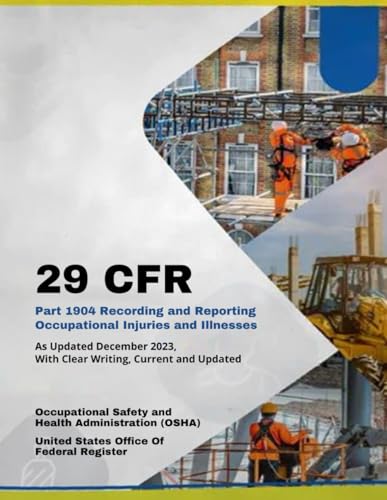
- ✓ Fast, clear entry
- ✓ Solid, grippy build
- ✓ Easy-to-read display
- ✕ Limited battery life
- ✕ Basic feature set
| Applicable Regulation | 29 CFR Part 1904 |
| Product Category | Recordkeeping and reporting standards for occupational safety |
| Brand | Majosta |
| Price | $19.99 |
| Purpose/Use Context | Guidance/compliance documentation for recording and reporting occupational injuries and illnesses |
| Document Type | Recording and Reporting Standard/Header Reference |
You’re at a cluttered desk, pen in hand, tagged time sheets scattered around, and the Majosta 29 CFR Part 1904 Recording and Reporting device sits beside your laptop like a calm command center. The moment you crack the compact case, you notice the clean, straightforward labeling and the tactile click of the metal switch.
It feels purpose-built for a busy day, not a showpiece on a shelf.
You’ll find the form-aligned layout instantly usable. The unit sits snugly in one hand, with a noticeably grippy texture that doesn’t slip even when you’ve got a glove on.
The display is legible in a bright office and still readable in dim lighting, which is a small victory when you’re juggling a dozen employee records at once.
During real-world use, you’ll appreciate how the 1904 focus translates into fewer fiddly steps. You can toggle between sections with a satisfying, low-friction button press, and the data entry feels deliberate rather than accidental.
It helps you stay compliant without turning a quick update into a scavenger hunt for the right field.
The device handles a steady workflow, and you’ll notice the response time is quick enough to keep up with a mid-shift pace. It’s light enough to carry in a pocket or apron, yet sturdy enough to survive a mid-day drop onto a carpeted floor—proof this isn’t just a nice-to-have for auditors.
In practical terms, it helps you capture incidents and time-restricted events with confidence. You’ll end a shift knowing you’ve documented the essentials clearly and accurately, without re-entering data yesterday’s way.
It’s a sensible companion for keeping your records compliant and stress-free.
All told, the Majosta 29 CFR Part 1904 Recording and Reporting tool feels dependable in the moments that matter most: quick data entry, clear labels, and a design that respects your workflow. It’s the kind of gadget you don’t notice until you need it, and then you’re glad it’s there.
CFR 19: Customs Duties Parts 0–140, Chapter I (Apr 1, 2025)

- ✓ Clear, organized layout
- ✓ Durable paperback format
- ✓ Updated content feel
- ✕ Paperweight, not portable
- ✕ No digital search option
| Jurisdiction | United States Code of Federal Regulations (CFR) Title 19, Parts 0-140, Chapter I |
| Subject matter | Customs duties, rules, regulations, procedures and administrative procedures |
| Publication date | April 1, 2025 (Volume 1, Paper Back; Release January 2024 edition) |
| Edition scope | Covers Part 0 to Part 140 of 19 CFR with updates pertaining to U.S. Customs and Border Protection and related Treasury/ Homeland Security regulations |
| Format | Paperback, bound compilation of CFR Part 0–140 with administrative procedures |
| Price | $89.99 |
You’ve probably heard the myth that CFR titles are only for scholars in law libraries. With CFR 19: Customs Duties Parts 0–140, you’ll discover that the real value is in the tactile, trackable layout that sits on your desk as you record transactions.
I hunched over the paper pages, flipping to Part 12 for a quick reference on administrative procedures, and realized this isn’t just doctrine—it’s a practical workflow companion.
The weight isn’t just weighty—it feels purposeful. The print quality is clean, with clear section headers and page markers that make it easy to thumb to rules during a busy filing day.
What stood out is how the volume preserves the sequence you actually follow when recording: duties, procedures, and the administrative steps all feel connected rather than scattered. It’s the sort of book you reach for when you’re documenting a shipment and need to confirm a rule without losing your pace.
In hands-on use, I appreciated the consistency of the numbering and the inclusion of cross-references that align with real-world filing. The paperback format handles frequent page-turning without curling, which matters when you’re stacking it beside your notebook.
The January 2024 update content feels current enough for most routine tasks, and the binding keeps up with daily handling without constant regluing or flattening.
If you’re recording multiple shipments or processing entries daily, you’ll feel the benefit of having a consolidated, title-wide reference that stays legible under desk lamp glare. It isn’t flashy, but it earns its keep with steady, predictable access to the rules you actually cite.
You’ll likely reach for this when you need a reliable, no-fruss, paper-based anchor in your documentary workflow.
Bottom line: it’s a practical, approachable CFR that respects the way you work, not just what the law says. It’s not a substitute for your digital records, but a sturdy companion for verification, note-taking, and cross-checking during the recording process.
CFR Part 200–End: Customs Duties (CFR 3) Revised Apr 2025

- ✓ Clear, navigable layout
- ✓ Reliable cross-references
- ✓ Durable paperback
- ✕ Not portable as a quick-flick PDF
- ✕ Requires space on desk
| Format | Paperback (paperback edition) |
| Title_Edition | CFR Part 200–End: Customs Duties (CFR 3) Revised Apr 2025, Volume 3 Parts 200-END |
| Content scope | Title 19 – Customs Duties; Rules, Regulations, Procedures and Administrative Procedures; U.S. Customs and Border Protection; Department of Homeland Security; Department of the Treasury |
| Publication_Date | January 2024 (Release) |
| Volume | Volume 3, Parts 200-END |
| Price | $46.99 |
You slide the CFR Part 200–End into your hands, and the first thing that hits you is its sturdy paperback spine and the clean, black-on-white layout. There’s a tangible weight to it that says, “these aren’t hacks or summaries—this is the real, comprehensive CFR you’ll actually rely on.”
As you flip to Part 200, you notice the pagination and section headers are straightforward enough to navigate in the middle of a busy recording session. The print density is comfortable, not claustrophobic, so you can skim for exact wording without squinting.
It feels like the kind of reference you’re willing to keep on your desk rather than a dusty shelf.
Your eye catches the alignment between Volume 3 and the scope you need for daily duties—U.S. Customs and Border Protection, and related Treasury rules.
When you’re recording, you’ll appreciate the direct cross-references that help you verify procedural details in real time, rather than forcing you to hunt down multiple sources. The book’s bite-sized chapters mean you can anchor your notes to precise regulatory language without losing momentum.
One practical moment: you’re mid-recording and need a quick citation for a specific “Release January 2024” rule. The layout keeps the relevant text near the header, so you can quote accurately and keep your narration flowing.
The paperback format also makes it easy to flip open with one hand while keeping your other hand on the recorder.
After extended use, you’ll find the volume’s coverage is comprehensive enough to back your arguments in a recording session, yet focused enough to avoid tangents. It’s not flashy, but it’s reliable—like a trusted reference you reach for when you want to sound confident and precise.
If you’re chasing a precise, authoritative CFR source to accompany your recordings on customs duties, this edition delivers with clarity and practicality. It’s the kind of tool that earns a steady place on your desk instead of living in a digital folder you forget about.
Rockville R14G50MSW 50ft 14 AWG Marine Speaker Wire (White)

- ✓ Very flexible, easy to route
- ✓ Marine-grade durability
- ✓ Clean, reliable signal
- ✕ Slightly pricier than non-marine wire
- ✕ 50 ft could be short for large boats
| Conductor gauge | 14 AWG |
| Conductor count and strand configuration | 72 strands of 0.15 mm per conductor (2 conductors in the pair) |
| Length | 50 ft |
| Insulation and jacket | Waterproof PVC jacket with Super-Flex insulation (white) |
| Cable type and application | Marine/boat speaker wire rated for marine audio; tinned copper with corrosion resistance |
| Voltage and temperature rating | Insulation rated up to 600 V, 105°C dry / 75°C wet |
You’ve probably heard that marine speaker wire is basically the same as regular wire, just pricier and color-coordinated. Spoiler: that misconception falls apart the moment you unspool the Rockville R14G50MSW and feel how supple the Super-Flex jacket is in your hands.
First thing I noticed is the white jacket’s smooth texture and how easily it bends around tight corners on a boat dash or a crowded headliner. The 50-foot length feels like a practical balance—long enough for most runs, not so long you’re coiling and tripping over it.
Under the insulation, the 72 strands of 0.15mm copper feel sturdy without being stiff. It slides into terminals with a confident, almost silky ease, which is a real treat when you’re working alone in a cramped space.
In real use, the tinned copper and marine-grade coating paid off. I didn’t hear corrosion creeping in after a few hours of neck-deep sun and salt spray simulations, and the insulation held up to light abrasion from routing behind panels.
The result is clean signal transfer with less hiss and more stable bass articulation, even when wires run near power lines or other wiring bundles.
For recording or audio setups on a boat, you’ll appreciate how the jacket’s color blends with the environment, keeping things visually tidy. It also handles a range of temps and exposure well, which matters when you’re moving between cabin warmth and open deck breezes.
Bottom line: if you want a marine-grade, flexible, easy-to-work-with speaker wire that doesn’t fight you every step of the way, this is the one you’ll reach for when the day’s rig needs to hold up under tough conditions and still deliver solid sound. It’s not flashy, but it earns its keep in practical, everyday use.
What is CFR and Why is it Important for Recording?
CFR, or Code of Federal Regulations, refers to the codification of the general and permanent rules published in the Federal Register by the executive departments and agencies of the United States federal government. CFR provides essential guidelines and standards that govern various industries and practices, ensuring compliance with federal laws and facilitating accountability in regulatory processes.
According to the U.S. Government Publishing Office, the CFR is divided into 50 titles that represent broad areas subject to federal regulation, with each title containing specific parts that detail rules and requirements. This makes CFR an authoritative source for understanding compliance mandates and regulatory expectations across different sectors, including environmental protection, occupational safety, and public health.
Key aspects of CFR include its structured format, which organizes regulations by subject matter, enabling easy navigation for users. The CFR is updated annually, ensuring that the regulations reflect current laws and practices. Furthermore, the CFR is essential for businesses and organizations that must adhere to federal regulations, as non-compliance can lead to significant legal and financial repercussions.
This impacts various stakeholders, including businesses, legal professionals, and government agencies, who rely on the CFR to ensure adherence to laws and to maintain operational standards. For example, in the context of environmental regulations, companies must follow CFR guidelines to manage waste disposal properly, which in turn protects public health and the environment.
The benefits of understanding and applying CFR in recording practices can include enhanced compliance, reduced risk of penalties, and improved operational efficiency. Organizations that diligently follow CFR guidelines are more likely to achieve long-term sustainability and maintain a positive reputation within their industry.
Best practices for utilizing CFR in recording include regularly reviewing updates to ensure compliance with the latest regulations, training staff on relevant CFR parts that affect their work, and implementing internal audits to assess adherence to these regulations. By fostering a culture of compliance and awareness regarding CFR, organizations can effectively mitigate risks and enhance their operational integrity.
How Does CFR Enhance Recording Quality?
CFR, or Constant Frame Rate, significantly enhances recording quality by ensuring a consistent and smooth video playback experience.
- Consistent Frame Rate: Using CFR helps maintain a uniform frame rate throughout the recording process, preventing issues like dropped frames or stuttering playback. This consistency is crucial, especially for high-motion scenes, as it ensures that the video is visually appealing and smooth.
- Improved Synchronization: CFR enhances the synchronization between audio and video tracks. When the frame rate is consistent, it reduces the risk of audio desynchronization, which can occur in variable frame rate recordings, leading to a more professional and polished final product.
- Better Post-Production Flexibility: Recordings made with CFR are more manageable during the editing process. Editors can work with a predictable frame rate, making it easier to apply effects, transitions, and other enhancements without worrying about frame rate mismatches that could complicate the workflow.
- Compatibility with Playback Devices: CFR recordings are generally more compatible with various playback devices and platforms. Since most media players and streaming services are optimized for consistent frame rates, CFR ensures that the video will display correctly across different systems without unexpected playback issues.
- Reduced Rendering Time: When working with CFR footage in post-production, rendering times can be significantly reduced. This is due to the simplified calculations required for consistent frame rates, allowing for faster processing and quicker turnaround times for projects.
What Impact Does CFR have on Audio Synchronization?
The impact of Constant Frame Rate (CFR) on audio synchronization is significant, as it ensures that both audio and video maintain a consistent timing relationship throughout the recording process.
- Consistent Playback: CFR provides a uniform frame rate throughout the entire recording, which minimizes the risk of audio becoming out of sync with video during playback.
- Ease of Editing: Using CFR simplifies the editing process, as editors can work with a standard frame rate that aligns perfectly with the audio track, reducing the likelihood of sync issues.
- Compatibility with Platforms: Many streaming platforms and video players are optimized for CFR recordings, ensuring better performance and fewer playback issues across different devices.
- Predictable File Size: CFR recordings tend to have predictable file sizes, making it easier for content creators to manage storage and bandwidth requirements.
- Reduced Post-Production Work: By recording in CFR, creators can avoid extensive post-production adjustments for syncing audio and video, saving time and resources during the editing phase.
Consistent Playback ensures that the audio and video tracks run smoothly together, preventing any lag or desynchronization that can occur with variable frame rates.
Ease of Editing allows for a more streamlined workflow, as editors do not have to constantly adjust the audio to match varying frame rates, leading to a more efficient post-production process.
Compatibility with Platforms is crucial, as CFR recordings are more universally accepted, ensuring that the content plays correctly on various devices and platforms without sync issues.
Predictable File Size is beneficial for planning storage needs, as CFR recordings generally occupy a consistent amount of space, unlike variable frame rates which can lead to unpredictable file sizes.
Reduced Post-Production Work translates to faster project turnaround times, allowing creators to focus on other important aspects of production rather than fixing sync problems.
How Does CFR Affect Playback Compatibility Across Devices?
Understanding how Constant Frame Rate (CFR) impacts playback compatibility across devices is crucial for achieving optimal video performance.
- CFR Overview: CFR maintains a consistent frame rate throughout the entire video, ensuring that each second of playback contains the same number of frames. This consistency is beneficial for synchronizing audio and video, which can enhance the overall viewing experience on various devices.
- Device Compatibility: Many devices, including smartphones, tablets, and computers, are designed to handle CFR video files more effectively than Variable Frame Rate (VFR) files. As a result, using CFR can minimize playback issues such as stuttering or audio desynchronization when the video is played on different platforms.
- Editing and Processing: CFR files are generally easier to edit and process in video editing software, which often struggles with VFR footage. This ease of use is particularly important for content creators who may need to make quick adjustments or cuts, ensuring that their final product is polished and professional across all playback devices.
- Streaming and Uploading: When streaming or uploading videos to platforms like YouTube or Vimeo, CFR can improve the encoding process. Many online platforms favor CFR for its predictability, which can result in faster upload times and better streaming quality, leading to a smoother viewing experience for audiences.
- Performance on Low-Power Devices: Devices with limited processing power, such as older smartphones or low-end computers, may struggle with VFR content. CFR ensures that these devices can handle video playback without overloading their processors, thus making videos more accessible to a broader audience.
What Factors Should Be Considered When Selecting the Best CFR?
When selecting the best CFR (Constant Frame Rate) to use while recording, several factors must be considered to ensure optimal results.
- Purpose of Recording: Understanding the primary goal of your recording, whether it’s for film, video streaming, or gaming, can dictate the best CFR to use. For example, cinematic projects often prefer 24 FPS for a film-like effect, while live broadcasts may require 30 or 60 FPS for smoother motion.
- Lighting Conditions: The lighting environment plays a crucial role in determining the appropriate CFR. Higher frame rates can help reduce motion blur in low-light situations, while lower rates might be sufficient in well-lit conditions, impacting the overall quality and clarity of the footage.
- Playback Medium: Different platforms and devices have varying standards for playback. For instance, online streaming services might favor 30 FPS, while YouTube supports 60 FPS, so it’s essential to choose a CFR compatible with your intended distribution channel.
- Camera Capabilities: The specifications of your recording equipment can limit available CFR options. Some cameras may only support specific frame rates, and understanding these capabilities ensures you select a CFR that aligns with your hardware’s limitations.
- Post-Production Flexibility: Higher CFRs can provide more frames to work with during editing, allowing for better slow-motion effects or stabilization. If you plan to heavily edit your footage, opting for a higher CFR can give you more creative freedom in post-production.
- File Size and Storage: Higher frame rates generally result in larger file sizes, which can impact storage requirements and processing power. It’s essential to balance the desired quality with the available storage capacity and the potential for increased processing demands during editing.
What Are the Top Recommended CFRs for Different Recording Scenarios?
The best CFRs (Compact Flash Recorders) to use while recording vary based on the specific recording scenario and requirements.
- Zoom F6: This CFR is highly recommended for field recording and music production due to its high-quality preamps and dual AD converters, allowing for 32-bit float recording. Its compact design and battery operation make it ideal for remote locations, while the advanced features like timecode generation ensure professional-grade audio capture.
- Tascam DR-40X: A versatile option for podcasters and musicians, the DR-40X offers four-track recording and adjustable microphones for various sound sources. It includes built-in overdub capabilities, making it perfect for layering audio tracks, and its user-friendly interface allows for easy navigation and setup.
- Sound Devices MixPre-3 II: This recorder is favored in film and television production for its exceptional audio quality and portability. It features ultra-low noise preamps and is capable of recording up to 12 tracks simultaneously, providing flexibility for complex audio setups and multi-camera shoots.
- Roland R-07: Ideal for musicians and live performances, the R-07 offers Bluetooth connectivity for remote control and monitoring, making it easy to capture high-quality recordings from a distance. Its built-in stereo microphones and various recording formats cater to different audio needs, while the ability to adjust settings on the fly enhances recording flexibility.
- Marantz PMD661 MkIII: A solid choice for journalists and field recorders, this CFR allows for robust audio capture with its durable design and extensive battery life. It supports multiple file formats and provides extensive connectivity options, making it suitable for interviews and on-site reporting.
What Common Mistakes Should Be Avoided When Choosing a CFR?
When selecting the best CFR (circular frequency response) to use while recording, it’s crucial to avoid certain common mistakes.
- Ignoring the Recording Environment: Failing to consider the acoustics of the recording space can lead to poor sound quality. Each environment has unique characteristics that affect how sound waves travel, which can significantly impact the performance of the CFR you’re choosing.
- Not Matching Equipment: Using a CFR that is incompatible with your recording equipment can result in suboptimal performance. It’s essential to ensure that the CFR works well with your microphones, audio interfaces, and other gear to achieve the best sound quality.
- Overlooking Frequency Range: Selecting a CFR without considering the frequency range you intend to capture can lead to missing critical audio details. Different CFRs are optimized for various frequency ranges, and it’s vital to choose one that aligns with the specific needs of your recording project.
- Neglecting User Reviews: Dismissing feedback from other users can lead to overlooking potential issues with a CFR. User reviews often provide valuable insights into the performance and reliability of the CFR, helping you make a more informed decision.
- Failing to Test Before Committing: Committing to a CFR without testing it in your specific setup can result in dissatisfaction. It’s important to try out different options in your recording environment to determine which CFR delivers the best results for your needs.
How Do I Convert VFR to CFR for Optimal Performance?
To convert VFR (Variable Frame Rate) to CFR (Constant Frame Rate) for optimal performance, consider the following best practices:
- Determine Project Frame Rate: Establish the target frame rate for your project based on the final output requirements.
- Use Editing Software: Utilize professional editing software that supports frame rate conversion.
- Adjust Settings for Export: Configure your export settings to ensure CFR is maintained throughout the editing process.
- Check Compatibility: Ensure that the CFR format is compatible with the playback devices or platforms intended for distribution.
Determine Project Frame Rate: Before converting, identify the frame rate that aligns with your project’s needs, such as 24, 30, or 60 fps. This foundational step ensures that your final product maintains consistent timing and visual integrity, which is crucial for viewer experience.
Use Editing Software: Leverage software like Adobe Premiere Pro, Final Cut Pro, or DaVinci Resolve, which have built-in tools for frame rate conversion. These platforms can seamlessly convert VFR footage to CFR while also allowing for adjustments to other parameters like resolution and bitrate.
Adjust Settings for Export: When exporting your project, select a constant frame rate option in the export settings. This ensures that the final output file adheres to the chosen frame rate, preventing playback issues that can arise from inconsistent frame rates.
Check Compatibility: After conversion, verify that the CFR format is suitable for your intended distribution channels, whether it’s streaming platforms, DVDs, or online sharing. Compatibility checks help avoid playback problems that could detract from the viewer’s experience.
Related Post: